Task-based Excel templates
Use separate import templates for different product-management jobs instead of one oversized spreadsheet.
HB Product Impex is a structured OpenCart Excel Import Export extension designed to simplify bulk product management while reducing the risk of accidental data corruption. Instead of one complex spreadsheet containing hundreds of columns, the extension uses task-based Excel templates, allowing store owners to update only the fields they actually need.
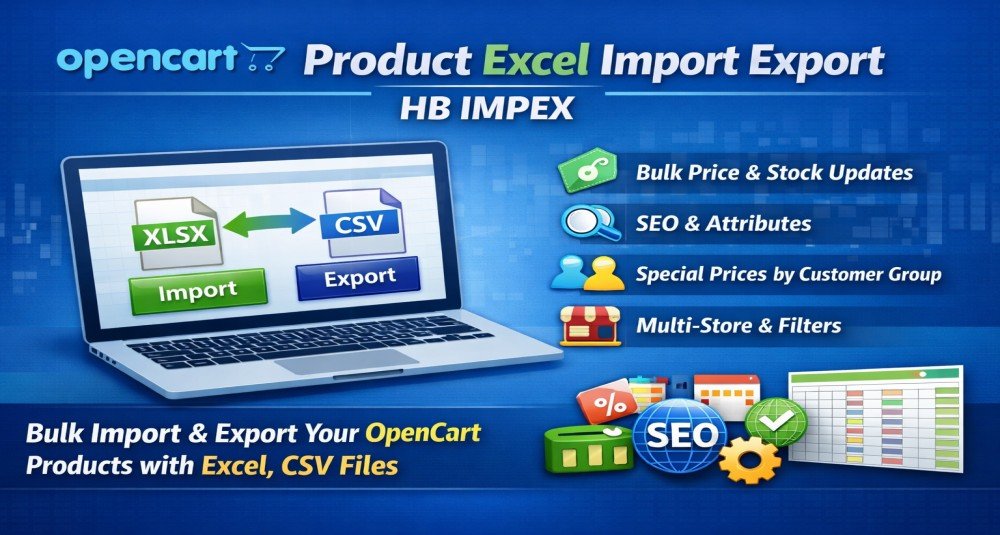
HB Product Impex is a structured OpenCart Excel Import Export extension designed to simplify bulk product management while reducing the risk of accidental data corruption.
Instead of one complex spreadsheet containing hundreds of columns, the extension uses task-based Excel templates, allowing store owners to update only the fields they actually need.
The module supports CSV and XLSX formats, includes validation preview before import, and maintains detailed job logs for transparency and control.
Managing product data in OpenCart manually is time-consuming and error-prone, especially when handling large catalogs.
Most import tools use complex spreadsheets containing many fields that are not always relevant, making updates difficult and risky.
Common challenges include: Updating prices or stock in bulk Managing multilingual product content Updating SEO fields efficiently Managing options, attributes, discounts, and filters Maintaining structured data without breaking product assignments Avoiding accidental overwrites during bulk updates HB Product Impex solves these issues by separating workflows into clear, focused Excel templates designed for real-world business operations.
Use separate import templates for different product-management jobs instead of one oversized spreadsheet.
Work with common spreadsheet file formats for import and export.
Preview validation results before import and review row-level errors, warnings and import history.
Process imports in controlled batches for safer large-catalog operations.
Update core product fields, categories, images, descriptions and language-specific content.
Bulk update meta titles, descriptions, keywords and SEO keywords.
Manage product options and attribute values, including language-specific data.
Update discounts, special prices, store assignments and product filters through dedicated workflows.
Update product information in bulk instead of editing every product individually.
Use task-specific templates so only the intended fields are changed.
Keep unrelated product data untouched during targeted imports.
Use structured Excel or CSV files for repeatable catalog-maintenance jobs.
Import language-specific product data more safely.
Apply price, discount and special-price changes to many products.
Maintain categories, options, attributes and other relationships through dedicated workflows.
Use job logs and validation results to review import activity.
Suitable for OpenCart stores, developers and agencies working with scenarios such as:
The purpose of this OpenCart Import Export extension is to provide a safe, structured, and practical way to manage product data using Excel.
Instead of forcing store owners to handle complex spreadsheets, the extension provides separate templates for different tasks such as: updating price and quantity managing product descriptions updating SEO metadata managing product options updating attributes controlling discounts and special pricing assigning products to stores or filters This approach ensures better control and reduces the chance of unintended changes.
After installing this OpenCart Import Export extension, store owners can expect: faster product updates reduced manual workload fewer data entry mistakes safer bulk editing workflow improved productivity structured product data management easier multilingual product updates improved SEO data consistency simplified catalog maintenance The structured approach helps ensure predictable and reliable bulk operations.
Sale price updates
Change prices across many products using a spreadsheet workflow.
Supplier stock updates
Import quantity changes after receiving new supplier data.
Multilingual content
Bulk update translated product information.
SEO maintenance
Change product metadata and SEO keywords in bulk.
Category assignments
Assign many products to categories without opening each product form.
Options and attributes
Update product option pricing and attribute data in batches.
Multi-store catalogs
Assign products to multiple OpenCart stores through import jobs.
The purpose of this OpenCart Import Export extension is to provide a safe, structured, and practical way to manage product data using Excel.
This catalog includes the extension for OpenCart 3.x. Check the official HuntBee product page for the exact supported minor versions before installation.
Purchases, downloads, licensing, updates and support are handled through the official HuntBee product page linked from this catalog.
Admin access to OpenCart PHP ZipArchive enabled for XLSX support CSV format supported without additional libraries Recommended database backup before large imports Recommended file size 500 to 3000 rows per import
Product details, purchases, downloads, licensing and support are handled through the official HuntBee website.