Dedicated Stock Alert Page Provides a customer-facing
page where users can view all active stock alert subscriptions.
The Premium Stock Alert Page Add-on for OpenCart provides customers with a dedicated self-service area where they can view and manage their product stock notifications directly from the storefront. This enterprise-level add-on enhances the usability of your existing OpenCart stock alert system by giving customers full visibility over their alert subscriptions.
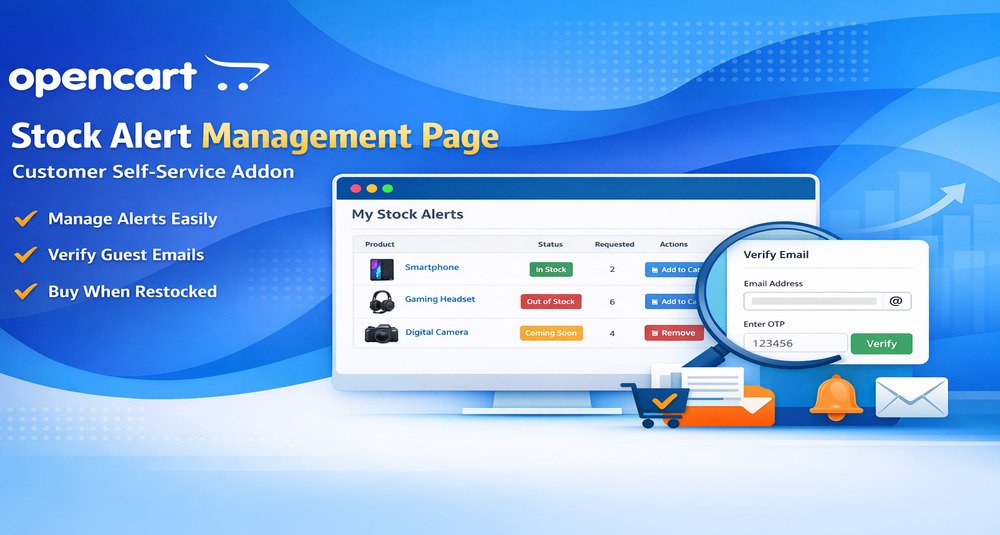
The Premium Stock Alert Page Add-on for OpenCart provides customers with a dedicated self-service area where they can view and manage their product stock notifications directly from the storefront.
This enterprise-level add-on enhances the usability of your existing OpenCart stock alert system by giving customers full visibility over their alert subscriptions.
Customers can quickly return to products, remove outdated alerts, and purchase items as soon as they are available.
Standard stock alert systems notify customers when products become available, but customers often have no easy way to review or manage their alert subscriptions afterward.
Customers may: Forget which products they subscribed to Register alerts using different email addresses Continue receiving notifications for products they no longer need Miss purchase opportunities due to lack of easy access to alerted products Without a centralized page, managing alerts becomes inconvenient for customers and increases unnecessary support requests for store owners.
This OpenCart add-on solves these problems by providing a professional stock alert management interface directly in the customer account area.
page where users can view all active stock alert subscriptions.
alerts associated with the customer’s account email automatically.
access alerts created using other email addresses through secure email verification.
verification code to ensure only authorized users can access guest alerts.
alerts linked to verified email addresses in an organized structure.
name, and stock status for each alert.
to easily navigate to the product page once stock becomes available.
quickly purchase products that are available without additional navigation.
alert subscriptions that are no longer needed.
access is securely limited to verified email addresses only.
Let shoppers view and manage their own product stock-alert subscriptions.
Make it easier for customers to act when a product becomes available again.
Reduce repeated support requests about product availability.
Provide an organized self-service page for alert subscriptions.
Give customers one place to review products they are waiting for.
Work with both registered customer alerts and guest subscriptions.
Reconnect interested shoppers with products that were previously unavailable.
Suitable for OpenCart stores, developers and agencies working with scenarios such as:
The purpose of this OpenCart add-on is to provide customers with a convenient way to access and manage their product stock alerts in one centralized location.
Instead of relying only on email notifications, customers can actively monitor the products they are waiting for, remove alerts that are no longer relevant, and quickly purchase items once they become available.
This improves customer satisfaction and increases the likelihood of converting interest into sales.
Temporarily unavailable products
Let customers manage alerts for products currently out of stock.
Seasonal or high-demand catalogs
Give shoppers a place to follow items with changing availability.
Multiple product alerts
Allow customers to review several alert subscriptions in one page.
Reduce repeated stock enquiries
Provide self-service visibility instead of relying on support replies.
Multiple email subscriptions
Help customers review alerts created with different email addresses where supported.
Pre-launch products
Use stock alerts around upcoming or not-yet-available products.
B2B availability monitoring
Support customers waiting for bulk product availability.
The purpose of this OpenCart add-on is to provide customers with a convenient way to access and manage their product stock alerts in one centralized location. Instead of relying only on email notifications, customers can actively monitor the products they are waiting for, remove alerts that are no longer relevant, and quickly purchase items once they become available.
This catalog includes the extension for OpenCart 3.x. Check the official HuntBee product page for the exact supported minor versions before installation.
Purchases, downloads, licensing, updates and support are handled through the official HuntBee product page linked from this catalog.
Requires the main Product Stock Notification Alert extension for OpenCart Requires email functionality configured in OpenCart for verification emails Compatible with most OpenCart themes following standard structure
Product details, purchases, downloads, licensing and support are handled through the official HuntBee website.