Shipment partner management Add and manage courier
or shipping partners from admin.
Order Shipment Tracking Details is an OpenCart extension that helps store owners manage manual shipment tracking information directly from the admin order workflow. Admins can add shipment rows per order product, assign courier partners, save tracking numbers, and send shipment emails to customers without leaving the order management flow.
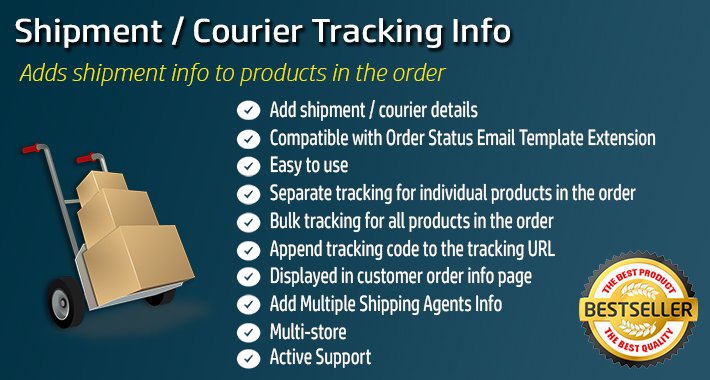
Order Shipment Tracking Details is an OpenCart extension that helps store owners manage manual shipment tracking information directly from the admin order workflow.
Admins can add shipment rows per order product, assign courier partners, save tracking numbers, and send shipment emails to customers without leaving the order management flow.
This OpenCart shipment management solution is designed for stores that want a practical way to maintain tracking records, improve post-purchase communication, and show shipment details to logged-in customers on the order info page.
Many OpenCart stores ship orders manually or work with multiple courier partners, but OpenCart does not provide a complete built-in workflow to manage shipment tracking details at the order-product level.
This makes it harder to store tracking data properly, notify customers, and keep shipment communication organized.
Without a proper OpenCart shipment tracking workflow, customers often need to contact the store to ask for courier information, shipment updates, or tracking numbers.
or shipping partners from admin.
link structure and store-specific data.
shipment rows against specific order products, including shipped quantity, courier, tracking ID, delivery date, and shipment status-related data.
injects shipment tracking controls into the OpenCart admin order workflow, making shipment handling more convenient during order processing.
are injected into the account order info page for logged-in customers using OCMOD.
customers after shipment data is saved.
mail flag tracking on shipment rows.
single-item and multi-item shipment templates, shipped-item block templates, and email content layouts.
preview and quick save/send behaviors through settings for a smoother shipment email workflow.
comments when shipment data is saved, based on configured language-specific settings.
with tracking details to be sent from the order workflow.
available to logged-in customers in their OpenCart account order page.
tracking ID, shipped quantity, delivery date, and related shipment data in the database.
rows per order product instead of forcing a single basic tracking note for the entire order.
templates, preview options, quick send settings, and shipped-item block templates.
themes through theme-specific OCMOD handling for default, Journal2, and Journal3 related logic.
Suitable for OpenCart stores, developers and agencies working with scenarios such as:
The purpose of this OpenCart extension is to give store owners a reliable system to manage shipment tracking details, courier information, and shipment email communication from within the OpenCart admin area.
It helps maintain accurate shipment records while improving the customer experience after an order is dispatched.
It is especially useful for businesses that need manual control over shipment handling, want to keep shipment data structured, and prefer sending shipment notifications based on actual order shipment entries rather than generic order status updates alone.
Manual shipment operations Ideal for OpenCart stores
that manually dispatch orders and want structured shipment tracking records.
Multiple courier workflows Useful for businesses working
with different shipping partners for different order types.
Product-level shipment handling Suitable for stores where
items in the same order may be shipped separately or tracked individually.
Post-purchase communication improvement Helps stores send more
meaningful shipment emails instead of relying only on basic order status updates.
Customer self-service for logged-in users Allows logged-in
customers to view shipment details inside their OpenCart account order page.
Paid upgrade opportunity for guest tracking Stores
that want a dedicated shipment lookup page for guest users can request the separate premium add-on.
The purpose of this OpenCart extension is to give store owners a reliable system to manage shipment tracking details, courier information, and shipment email communication from within the OpenCart admin area. It helps maintain accurate shipment records while improving the customer experience after an order is dispatched.
This catalog includes the extension for OpenCart 3.x & 4.x. Check the official HuntBee product page for the exact supported minor versions before installation.
Purchases, downloads, licensing, updates and support are handled through the official HuntBee product page linked from this catalog.
Product details, purchases, downloads, licensing and support are handled through the official HuntBee website.