OpenCart 2 / OpenCart 3
- Login to your Admin and go to Extensions > Installer
- Upload product-manager-pro-x.x.x.ocmod.zip
- Go to Extensions > Extensions > Module
- Look for Product Manager PRO and click on the Install button.
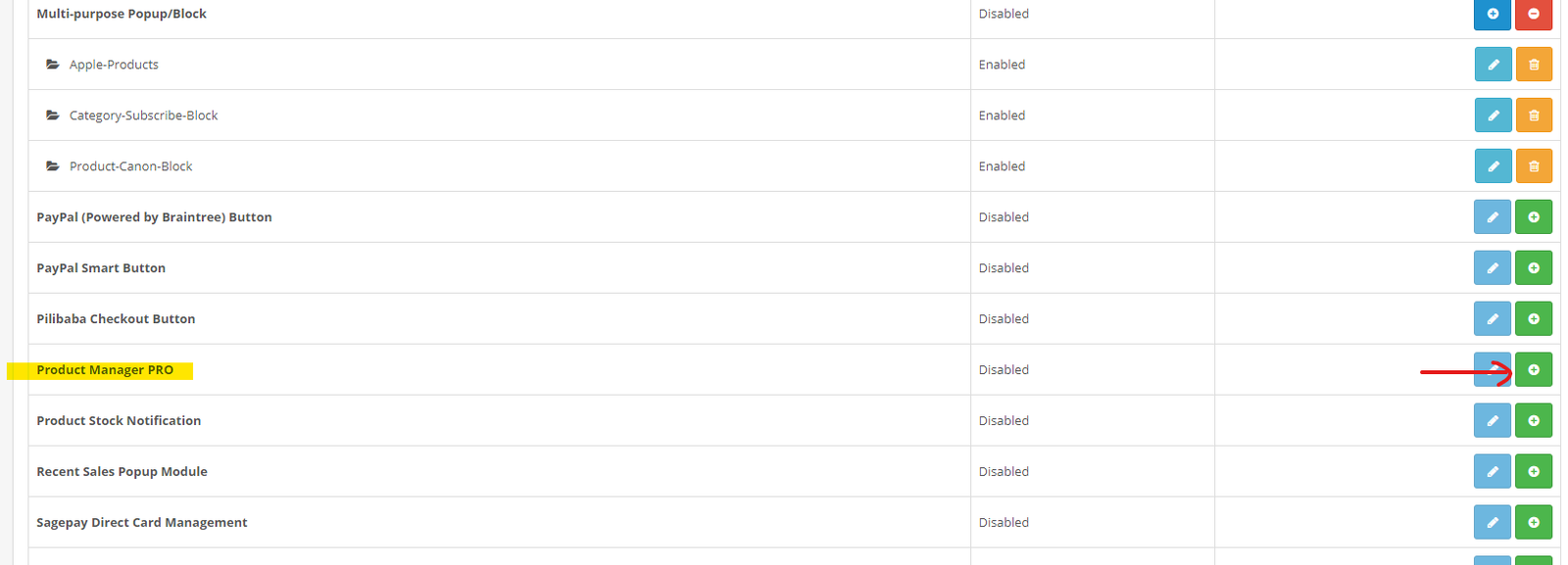
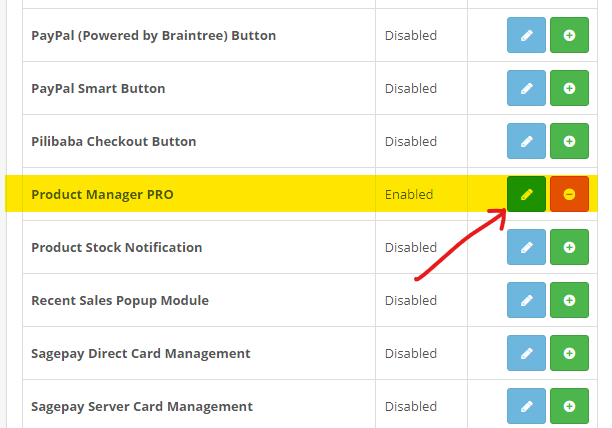
- Click on Edit Button
- Now go to Actions > Settings
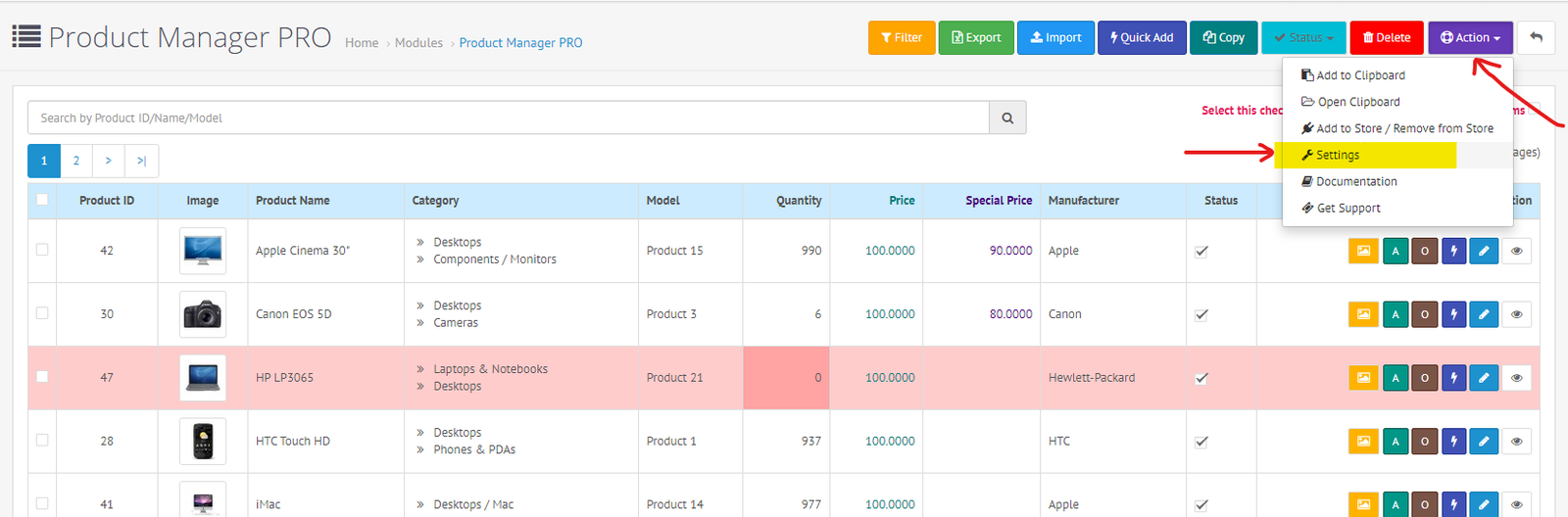
- Enable the required Columns and complete all other settings in this page and then click on the save button.

- Now Go to Extensions > Modification. You will see “Product Manager PRO” in the list.
- Click on Refresh Modification button.
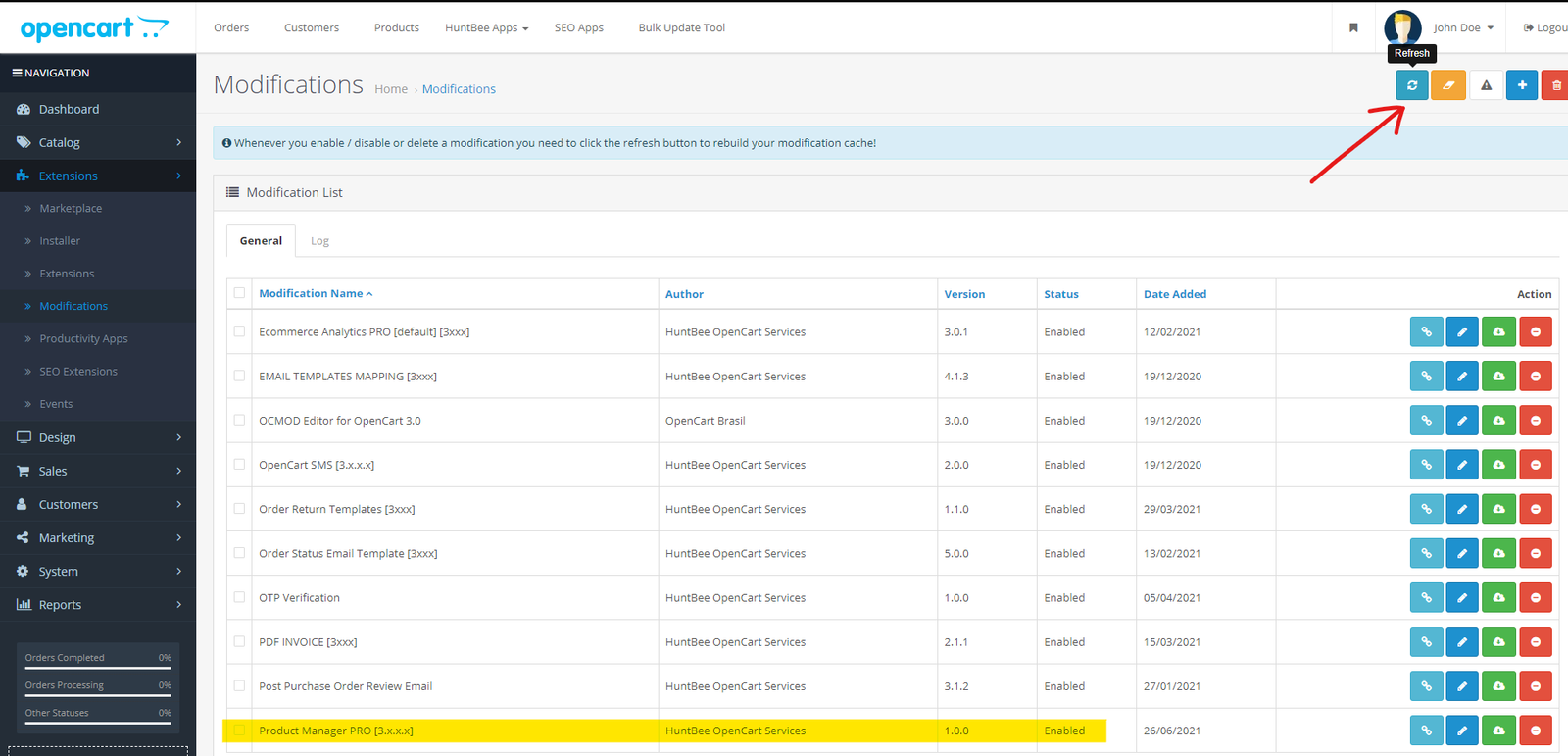
- After refreshing the modification cache, you can see the menu added to the left navigation panel.
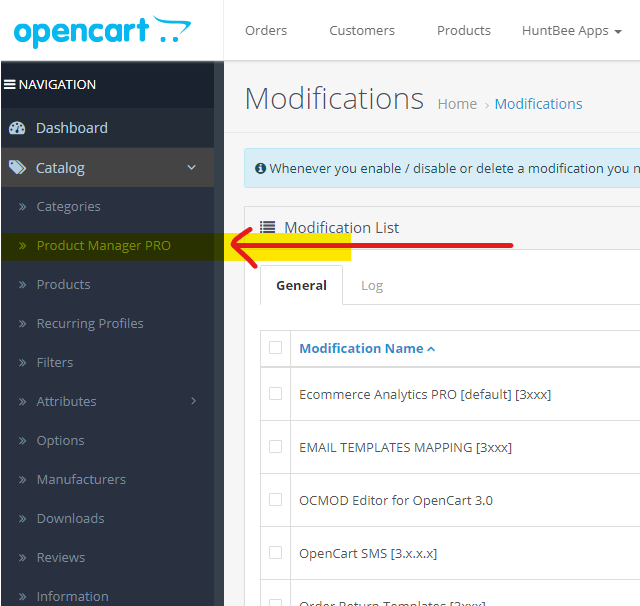
- Your installation is complete and you can setup the extension as per your requirement and use it.
About the extension
Product Manager PRO is a comprehensive extension designed to enhance product management in OpenCart, saving time and boosting efficiency for store owners. With an intuitive, feature-rich dashboard and advanced tools, it simplifies editing, updating, and organizing product data, making it an ideal choice for stores with large inventories or those needing quick, bulk updates. Features […]
OpenOffice Setting for CSV edit
How to Open and Edit a CSV File in OpenOffice with Correct Settings When you open a CSV file in OpenOffice, you’ll encounter a settings window called Text Import. This window ensures your file is displayed correctly by letting you configure how the data is separated and formatted. Here’s a quick guide to get it […]

About the template
NEXX OpenCart Template – Modern, Lightweight, and Seamlessly Customizable The NEXX template was designed with a singular vision: to create a professional and modern OpenCart template that combines aesthetics with functionality. Its primary focus is to ensure easy customization through the admin panel while adhering to OpenCart’s core standards. Key Features and Advantages Exclusive Pro […]