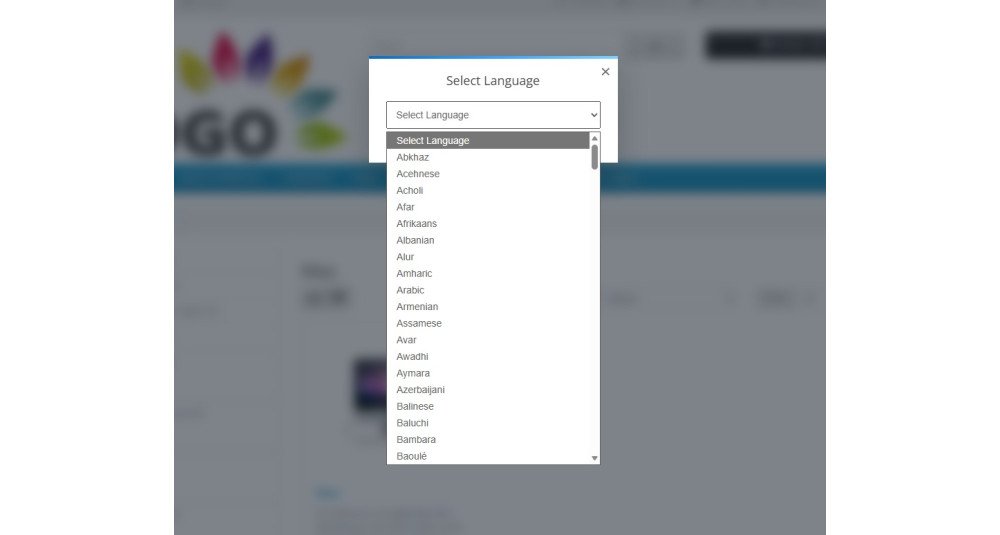
Allow Customers to Translate OpenCart Store Instantly
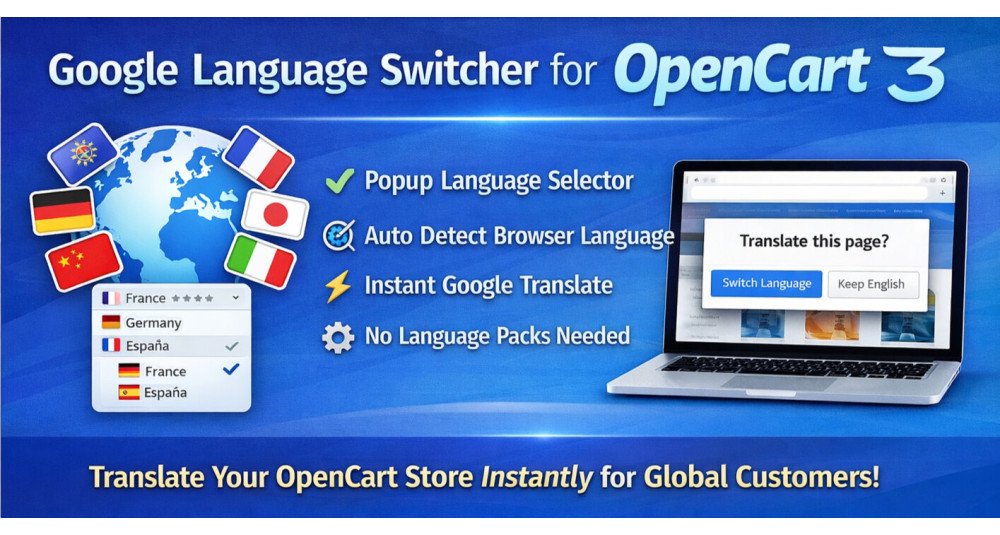
Google Language Switcher for OpenCart allows your store visitors to instantly translate website content into multiple languages using Google Translate.
The extension adds a modern popup-based language selector to your OpenCart store, enabling international visitors to view content in their preferred language without requiring manual language packs.
It works for both single-language OpenCart stores and multi-language stores, where the Google Translate popup can work alongside the native OpenCart language selector.
This extension helps OpenCart merchants make their stores globally accessible while keeping store management simple and efficient.
Problem Statement
Managing multiple languages in OpenCart usually requires installing language packs and manually translating products, categories, and information pages.
Maintaining multilingual content can become difficult, especially for stores with large product catalogs or frequently updated content.
Many OpenCart store owners want to serve global customers but avoid multilingual expansion due to translation cost and maintenance effort.
Google Language Switcher solves this challenge by allowing visitors to instantly translate website content using Google Translate.
Who Is This Extension For?
This OpenCart extension is suitable for:
- stores selling products internationally
- businesses targeting multiple countries or regions
- stores with limited translation budget
- startups expanding into global markets
- dropshipping stores serving worldwide customers
- B2B stores with international clients
- stores with large product catalogs
- merchants wanting multilingual support without managing language packs
- multi-language OpenCart stores wanting additional translation flexibility
Key Benefits
- Reach global customers
Visitors can browse your OpenCart store in their preferred language. - Reduce translation cost
Avoid manually translating product content into multiple languages. - Improve user experience
Customers understand product details clearly in their native language. - Expand internationally faster
Enable multilingual browsing without complex setup. - Works alongside existing language packs
Use Google Translate together with native OpenCart languages. - Reduce maintenance effort
No need to maintain translations for every product update. - Increase engagement
Visitors stay longer when content is easy to understand. - Test new international markets
Identify demand before investing in professional translations.
Purpose of the Extension
The purpose of this OpenCart extension is to make your store accessible to a wider global audience using Google Translate.
It provides an easy-to-use popup language selector that allows visitors to instantly translate content without requiring manual language setup in OpenCart.
This simplifies multilingual support and helps merchants serve international customers more efficiently.
Complete Feature List
- Popup Language Switcher
Adds a modern popup language selector to the OpenCart storefront. - Google Translate Integration
Instantly translate store content using Google Translate. - Works with Single Language Stores
Provide multilingual browsing even when only one OpenCart language is installed. - Works with Multi-language Stores
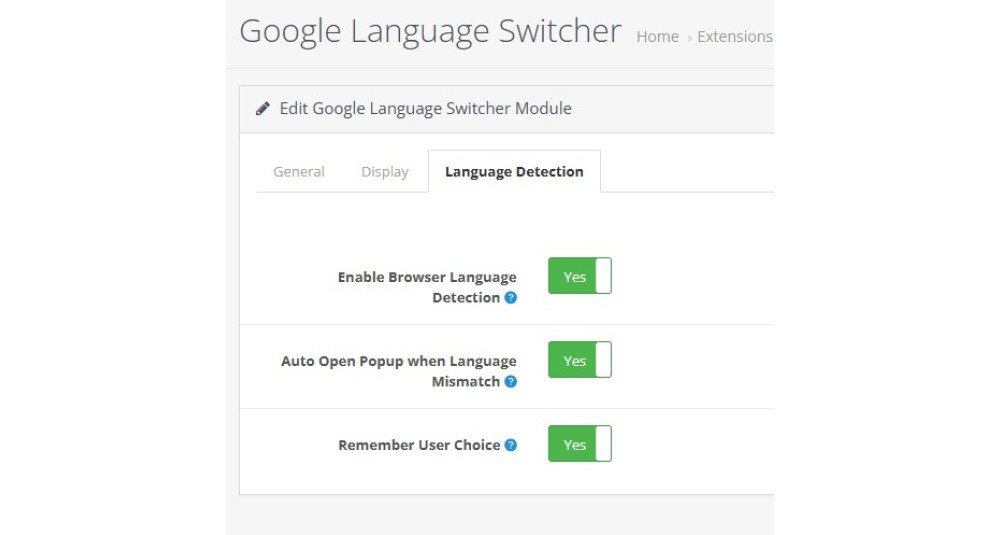
Can operate alongside native OpenCart language selector. - Browser Language Detection
Detects visitor browser language automatically. - Auto Language Suggestion
Suggest translation when visitor language differs from store language. - Remember Visitor Language
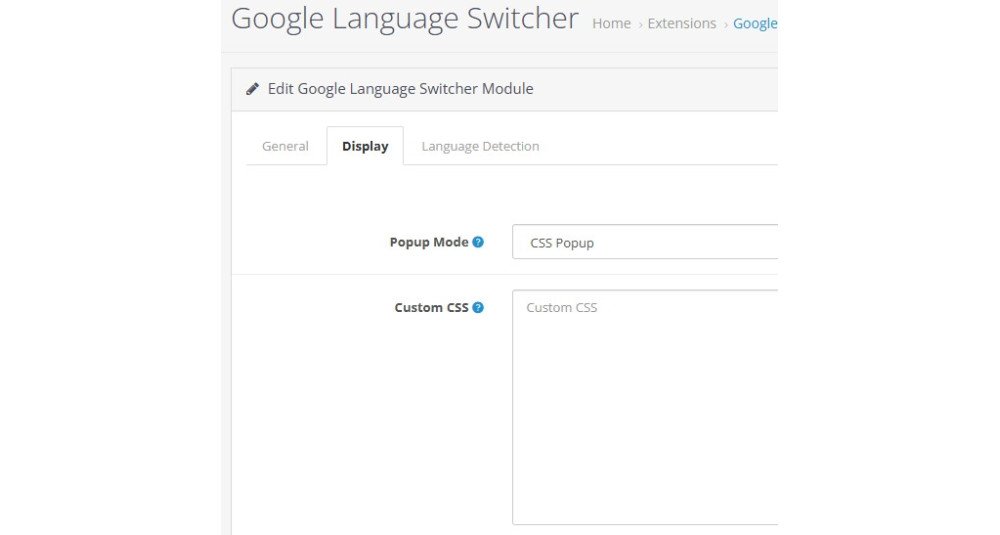
Stores visitor preference to prevent repeated prompts. - Popup Mode Selection
Choose between CSS popup or Magnific Popup integration. - Magnific Popup Support
Integrates with themes using Magnific Popup library. - CSS Popup Fallback
Ensures compatibility when Magnific Popup is not available. - Custom CSS Option
Allows styling adjustments to match store theme. - Google Analytics Event Tracking
Track popup open and language selection events using gtag. - Lightweight Frontend Assets
Optimized JavaScript and CSS loading. - OCMOD Based Integration
No core file modification required. - Cache-busted Asset Loading
Ensures updated JS and CSS are always loaded. - Safe JavaScript Initialization
Prevents duplicate initialization issues.
How to Use
- Install the extension from OpenCart admin.
- Enable the module from Extensions.
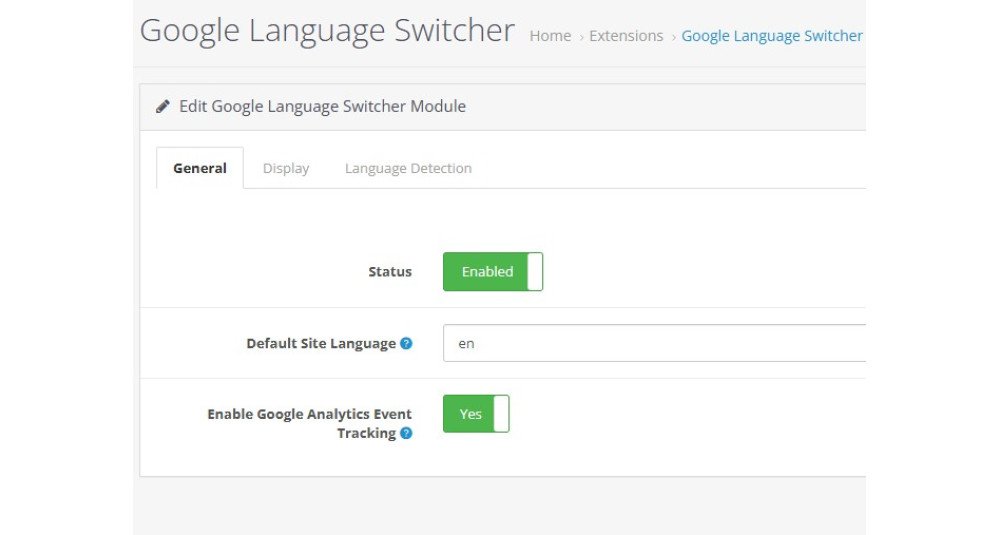
- Set default site language.
- Enable browser language detection if required.
- Choose popup mode.
- Save settings.
Visitors will see a language switch option on the storefront.
They can choose their preferred language and view translated content instantly.
If browser language detection is enabled, the extension can suggest translation automatically.
Use Cases
- selling products globally without managing multiple translations
- supporting customers from different countries
- improving experience for non-English speaking visitors
- testing international markets before creating native translations
- providing multilingual browsing for B2B customers
- reducing cost of professional translation services
- simplifying multilingual setup in OpenCart
- enhancing accessibility for worldwide visitors
Expected Results
After installing this OpenCart extension, you can expect:
- improved accessibility for international customers
- better engagement from global visitors
- increased confidence among non-English users
- reduced effort managing multilingual content
- faster expansion into international markets
- improved user experience across regions
Visitors can comfortably browse your OpenCart store in their preferred language without requiring manually translated content.
Admin Panel
Access the module settings directly from the admin demo link below:
https://opencart-demo.huntbee.com/demo/admin/index.php?route=extension/module/hb_language
Login credentials are already pre-filled for quick access.
Storefront Preview
View the language switcher in action on the storefront:
https://opencart-demo.huntbee.com/demo/
You will find the Translate button displayed at the top section of the website. Clicking the button opens the Google Translate popup, allowing visitors to select their preferred language and instantly view translated content.
Video Demonstration:
Open demo instruction in new tab
| OPENCART | |
| Compatibility | 3.0.5.1, 3.0.5.0, 3.0.4.1, 3.0.4.0, 3.0.3.9, 3.0.3.8, 3.0.3.7, 3.0.3.6, 3.0.3.5, 3.0.3.3, 3.0.3.2, 3.0.3.1, 3.0.3.0, 3.0.2.0, 3.0.1.2, 3.0.1.1, 3.0.1.0, 3.0.0.0 |
| VERSION : 3.1.1 | DATE RELEASED: 02 Apr 2026 |
| |
| VERSION : 3.1.0 | DATE RELEASED: 29 Mar 2026 |
| |
