How does the Hide Products from list without affecting SEO extension benefit my OpenCart store?
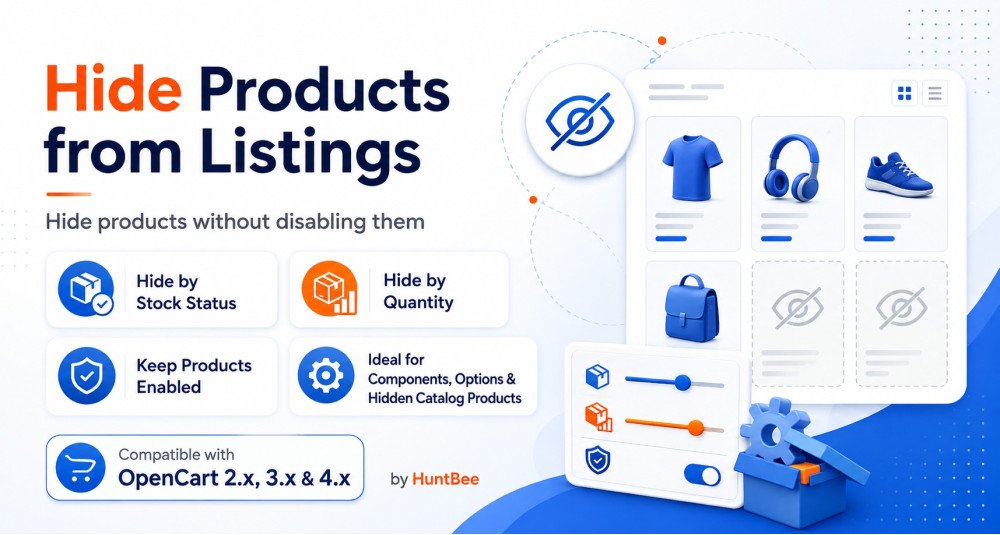
The Hide Products from list without affecting SEO extension allows OpenCart store owners to maintain clean, up-to-date product listings without sacrificing SEO. By hiding out-of-stock items while keeping their pages active for search engine indexing, it enhances user experience and search engine visibility.
Can I use the Hide Products from list without affecting SEO extension with any OpenCart theme?
Yes, the Hide Products from list without affecting SEO extension is compatible with all OpenCart themes and custom templates, ensuring seamless integration and functionality across different storefront designs.
Does the Hide Products from list without affecting SEO extension support OpenCart multi-store setups?
Absolutely, the Hide Products from list without affecting SEO extension supports multi-language and multi-store setups, making it an ideal choice for OpenCart store owners managing multiple storefronts or international sales.
How does the Hide Products from list without affecting SEO extension handle products that are out of stock?
The extension automatically hides products from category pages, search results, and modules when their quantity drops to 0 or below, or if their stock status is set to 'Out of Stock,' ensuring your listings are always accurate.
Will using the Hide Products from list without affecting SEO affect my OpenCart site's search engine rankings?
No, the Hide Products from list without affecting SEO extension is designed to ensure that hidden products remain accessible via direct URL. This approach prevents any negative impact on your OpenCart site's search engine rankings while keeping product pages indexed.
Is there a need for core file modifications to install the Hide Products from list without affecting SEO extension on OpenCart?
No core file modifications are necessary for the Hide Products from list without affecting SEO extension. It supports OCMOD/VQMOD, making installation straightforward without affecting core system files.
How does the Hide Products from list without affecting SEO extension improve customer experience on OpenCart sites?
By hiding unavailable products, the Hide Products from list without affecting SEO extension ensures that customers only see products that are in stock and available for purchase, significantly enhancing the shopping experience by reducing confusion and disappointment.
What makes the Hide Products from list without affecting SEO extension a performance-optimized choice for OpenCart?
Designed to be lightweight, the Hide Products from list without affecting SEO extension does not bog down your OpenCart site, ensuring fast load times and smooth performance even when managing large inventories.
Can the Hide Products from list without affecting SEO extension hide products based on different stock statuses in OpenCart?
Yes, besides hiding out-of-stock products, you can configure the Hide Products from list without affecting SEO extension to hide products based on various stock statuses like 'Pre-Order,' enhancing flexibility in how you manage product visibility.
How does the Hide Products from list without affecting SEO extension maintain SEO for hidden products in OpenCart?
The extension keeps the product pages live and indexable by search engines even when the products are hidden from category pages and search results, ensuring ongoing SEO benefits without displaying out-of-stock items.
Is the Hide Products from list without affecting SEO extension suitable for OpenCart stores with a large number of SKUs?
Yes, the Hide Products from list without affecting SEO extension is ideal for OpenCart stores with extensive product catalogs. Its performance optimization ensures that it handles large volumes of products efficiently.
Does the Hide Products from list without affecting SEO extension work with all OpenCart modules that display products?
Yes, the extension works seamlessly with all OpenCart modules that display products, such as Featured, Bestsellers, and Latest modules, providing consistent functionality across your store.
What is the advantage of using the Hide Products from list without affecting SEO extension over manually managing product visibility in OpenCart?
Using the Hide Products from list without affecting SEO extension automates the process of hiding out-of-stock items, saving time and reducing the risk of human error compared to manually updating product visibility settings.
Can I selectively hide products using the Hide Products from list without affecting SEO extension in OpenCart?
Yes, the extension provides flexibility to hide products based on stock quantity or status. This selective visibility helps maintain a streamlined storefront while ensuring products remain SEO-friendly.
How does the Hide Products from list without affecting SEO extension contribute to the overall management of an OpenCart store?
By automating the hiding of unavailable products and maintaining their SEO, the Hide Products from list without affecting SEO extension reduces manual workload, enhances store appearance, and ensures better resource allocation within OpenCart operations.