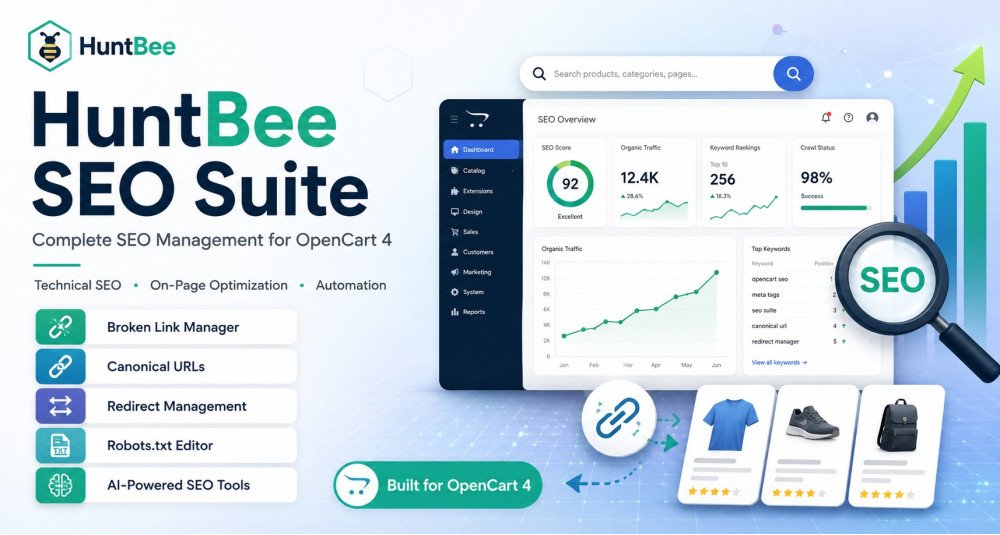
HuntBee SEO Suite is a complete SEO management solution developed specifically for modern OpenCart 4 stores.
It brings technical SEO, metadata management, structured data, XML sitemaps, indexing controls, SEO URLs, redirects, broken-link monitoring, image SEO, AI-assisted content, product feeds, internal product discovery, and SEO automation together inside one coordinated OpenCart SEO system.
Instead of installing and maintaining many unrelated SEO extensions, HuntBee SEO Suite provides a structured collection of 19+ integrated SEO tools powered by the HuntBee Framework.
The Suite is designed for both beginners and experienced OpenCart administrators. Safe defaults, SEO Health monitoring, bulk tools, automation, queues, and centralized Cron processing help make ongoing SEO maintenance much easier as your catalog grows.
HuntBee SEO Suite does not attempt to replace good SEO strategy or guarantee rankings. Its purpose is to give your OpenCart store a cleaner technical foundation, better machine-readable information, more manageable content workflows, and a practical system for maintaining SEO over time.
Problem Statement
SEO becomes difficult to maintain when an OpenCart store grows.
A small catalog may be manageable manually, but stores with hundreds or thousands of products can quickly develop problems such as:
- Missing Meta Titles or Meta Descriptions
- Missing or inconsistent SEO URLs
- Duplicate or confusing URL variations
- Incorrect canonical signals
- Search and utility pages being unnecessarily indexed
- Broken URLs and old indexed pages
- Disabled products still receiving search traffic
- Poorly maintained redirects
- Missing or outdated structured data
- Large XML sitemaps that are difficult to maintain
- Unoptimized or poorly organized catalog images
- Repetitive SEO editing across large catalogs
- Missing product tags or internal product relationships
- Slow manual content creation
- Difficulty informing search engines when URLs change
- SEO tasks that should run automatically but require manual work
- No clear overview of the store's overall SEO condition
Store owners often try to solve these problems by installing several separate OpenCart SEO extensions.
This can lead to duplicated functionality, overlapping events, inconsistent settings, more maintenance work, and difficulty understanding which extension controls a particular SEO function.
HuntBee SEO Suite solves this by bringing the major SEO workflows into one coordinated OpenCart SEO environment.
Who Is This Extension For?
HuntBee SEO Suite is suitable for:
- OpenCart store owners who want a structured SEO solution without managing many separate extensions.
- Large OpenCart catalogs where manually editing every product is impractical.
- New OpenCart 4 stores that want to build a clean SEO foundation from the beginning.
- Existing stores with missing SEO information, broken URLs, indexing problems, or inconsistent metadata.
- SEO agencies managing OpenCart websites for clients.
- OpenCart developers who want a coordinated SEO toolkit for customer stores.
- Stores with frequently changing inventory where products are regularly disabled, replaced, or updated.
- Multilingual stores requiring language-aware SEO workflows.
- Businesses using AI-assisted content generation for catalog and SEO information.
- Stores migrating from multiple standalone SEO extensions to a more centralized system.
You do not need to be an SEO expert to use HuntBee SEO Suite.
The Suite includes safe defaults, diagnostics, guided tools, and practical administration workflows so that normal OpenCart store owners can manage important SEO tasks without needing to understand every technical detail.
Key Benefits
- Centralized OpenCart SEO Management
Manage your major SEO workflows from one coordinated HuntBee SEO Suite.
- Better Technical SEO Control
Manage canonical URLs, indexing rules, XML sitemaps, broken links, robots.txt, redirects, and SEO URLs.
- Reduce Repetitive SEO Work
Use bulk editing, generators, queues, templates, scheduled tasks, and automation.
- Protect Existing URLs
Generate missing SEO URLs while avoiding unnecessary regeneration of existing URLs and optionally create redirects when URLs intentionally change.
- Manage Large Catalogs More Easily
SEO tools are designed around real OpenCart products, categories, manufacturers, information pages, languages, and stores.
- Identify SEO Problems Faster
SEO Health provides a central overview of content, technical, structured-data, image, and link-related issues.
- Improve Machine-Readable Product Information
Structured Data and optional product feeds help supported external systems understand your catalog more clearly.
- Improve Search Engine Discovery
XML Sitemap and IndexNow help communicate important URLs and content changes to supported search systems.
- Improve Internal Product Discovery
Product Tags and Related Products can improve OpenCart storefront navigation and product relationships.
- Improve Image Management
Organize catalog images, improve poor filenames, audit image references, and optionally deliver WebP derivatives.
- Optional AI-Assisted SEO Workflows
Generate supported catalog and SEO content using OpenAI, Google Gemini, or Anthropic Claude through HuntBee Framework AI integration.
- Scalable Background Processing
One central Cron Manager coordinates supported background jobs using controlled queues and batch processing.
- Designed Specifically for Modern OpenCart 4
The Suite follows the current OpenCart 4 architecture rather than carrying legacy compatibility layers from older OpenCart generations.
Purpose of the Extension
HuntBee SEO Suite is designed to provide an ongoing SEO management system for OpenCart, rather than simply adding a collection of SEO settings.
The Suite focuses on four important areas.
Technical SEO
Manage how search engines discover, crawl, interpret, and process your OpenCart URLs.
This includes:
- Canonical URLs
- XML Sitemap
- Indexing controls
- Robots.txt
- SEO URLs
- Redirects
- Broken links
- IndexNow
On-Page SEO
Manage important page information associated with products and other OpenCart content.
This includes:
- Meta Titles
- Meta Descriptions
- Page titles
- Descriptions
- Headings
- Product Tags
- Image SEO fields
- Other supported catalog SEO information
Machine-Readable SEO
Provide structured information that supported search engines, shopping systems, and other external services can understand more easily.
This includes:
- Product Structured Data
- Organization / Store Structured Data
- Breadcrumb Structured Data
- Shipping Information
- Return Policies
- Social Metadata
- XML Sitemap
- AI Product Feed
SEO Maintenance & Automation
Find problems, process large catalogs, automate repetitive work, and maintain SEO as your OpenCart store changes.
The result is a more manageable SEO environment with less dependence on repetitive manual administration.
Complete Feature List
SEO Health
SEO Health Dashboard provides a central SEO check-up for your OpenCart store.
It helps administrators identify SEO problems and understand which areas require attention.
SEO Health can help review areas such as:
- Content SEO
- Technical SEO
- Structured Data
- Images
- Links
- Missing SEO information
- Other supported SEO conditions
Instead of randomly changing SEO settings, administrators can use SEO Health to identify problems, open the appropriate HuntBee component, make corrections, and then run the health check again.
Meta Tags Manager
Manage metadata for important OpenCart page types.
Features include:
- Home Page Metadata
- Search Page Title Templates
- Search Page Description Templates
- Tag Page Metadata
- Pagination Metadata
- Custom OpenCart Route Metadata
- Dynamic Template Placeholders
Existing OpenCart metadata can remain authoritative where HuntBee override fields are left empty.
The focus is on useful titles and descriptions rather than outdated Meta Keywords practices.
Structured Data Manager
Generate machine-readable structured data using live OpenCart information.
Supported structured-data areas include:
- Product Structured Data
- Store / Organization Structured Data
- Breadcrumb Structured Data
- Article Structured Data
- Approved Product Reviews
- Aggregate Ratings
- Product Identifiers
- Product Price
- Stock Availability
- Business Contact Information
- Business Address
- Social Profiles
- Shipping Information
- Return Policy Information
- Local Business Information
- Licensed Image Metadata
- Social Sharing Metadata
OpenCart stock statuses can be mapped to appropriate structured-data availability values.
Diagnostics are included to help administrators review public structured-data output.
Structured data can make pages eligible for supported enhanced search experiences, but external search engines determine whether those features are displayed.
XML Sitemap
Generate scalable XML sitemaps directly from OpenCart data.
Supported content can include:
- Products
- Categories
- Manufacturers
- Information Pages
- Articles
- Topics
- Custom URLs
- Supported Journal3 URLs
- Product Images
Additional features include:
- Multi-Store Support
- Multilingual URLs
- Large Sitemap Splitting
- Configurable URLs Per File
- File-Based Caching
- Configurable Cache Lifetime
- Product Image Sitemap Information
- Optional Extended Crawl Hints
Large OpenCart catalogs can be divided into manageable sitemap files automatically.
Canonical Manager
Help search engines understand the preferred URL when similar OpenCart URLs exist.
Features include:
- OpenCart-Aware Canonical Handling
- Canonical Gap Handling
- Pagination Protection
- Exact Custom Canonical Overrides
- Coordination with Existing OpenCart Canonicals
The component is designed to work with OpenCart's normal canonical behavior rather than unnecessarily replacing it.
Indexing Manager
Control page-level indexing instructions for common OpenCart page types.
Built-in policy areas include:
- Search Pages
- Utility Pages
- Checkout Pages
- Compare Pages
- Variant / Duplicate URL Patterns
Additional functionality includes:
- Custom Route Rules
- Query Parameter Conditions
- Custom Robots Directives
- Rule Status and Priority
- Rule Testing
This allows administrators to manage which pages should normally appear in search indexes without incorrectly relying on robots.txt for every indexing decision.
IndexNow
Notify participating search engines when important OpenCart URLs change.
Automatic change tracking can cover:
- Products
- Categories
- Manufacturers
- Information Pages
- Articles
- Topics
Features include:
- IndexNow Key Management
- Key Verification
- Automatic URL Queueing
- Submission History
- Retention Controls
- Cron-Based Submission Processing
- Configurable Batch Processing
IndexNow helps notify supported services about URL changes more quickly.
Successful submission means the change notification was received. It does not guarantee that a URL will be crawled, indexed, or ranked.
SEO URL Manager
Generate and manage native OpenCart SEO URLs.
Features include:
- Generate Missing SEO URLs
- Product URL Templates
- Native Character Support
- Multilingual URL Handling
- Store-Aware SEO URLs
- Static OpenCart Route URLs
- Optional Automatic Generation on Save
- SEO URL Coverage Dashboard
- Generation Logs
- Hreflang Support
- Language URL Prefix Support
- 301 Redirect Creation When Existing URLs Are Regenerated
The recommended workflow is to generate missing URLs first rather than unnecessarily replacing existing URLs that may already have links or search-engine history.
Robots.txt Editor
Manage your site's robots.txt file directly from OpenCart administration.
Features include:
- Robots.txt Editing
- Crawler Directive Management
- Validation
- Centralized Administration
Robots.txt controls crawler access and should not be confused with page-level noindex instructions.
The component is intentionally treated as an advanced SEO tool because incorrect crawler rules can block important pages or resources.
Broken Link Manager
Identify and manage real URLs generating not-found responses on your OpenCart store.
Features include:
- 404 URL Monitoring
- Hit Tracking
- Exact Page Redirects
- Query Parameter Exclusions
- URL Exclusion Rules
- IP Exclusions
- User-Agent Exclusions
- Smart URL Matching
- Keyword Redirect Rules
- URL Replacement Rules
- Configurable Redirect Types
- Automatic Low-Value Log Cleanup
- Custom 404 Page Template
- 404 Tools and Diagnostics
Broken URLs can result from deleted products, changed URLs, old external links, incorrect links, or outdated indexed pages.
HuntBee helps administrators identify which broken URLs actually deserve a relevant redirect rather than redirecting every 404 to the store home page.
Disabled Content Redirects
Manage URLs belonging to known OpenCart content that has been disabled or removed from normal storefront availability.
Supported source content includes:
- Products
- Categories
- Information Pages
- Articles
Redirect targets can include:
- Products
- Categories
- Information Pages
- Articles
- Custom URLs
- OpenCart Routes
Administrators can use permanent or temporary redirect types depending on the situation.
This is especially useful for stores where products are regularly discontinued or replaced.
Image Organizer
Manage OpenCart catalog image filenames and folder organization.
Features include:
- Image Filename Improvement
- Product Image Processing
- Additional Product Image Processing
- Category Image Processing
- Manufacturer Image Processing
- Product Option Image Support
- Configurable Folder Strategies
- Configurable Filename Templates
- Category-Based Folder Organization
- JPEG Extension Normalization
- Image Preview
- Batch Processing
- Shared Image Safety Checks
- Image Audit
- Missing Image Detection
- Orphan Image Candidate Detection
- Processing History
- Restore Support
- Optional Automatic Rename on Save
- Optional Cron Processing
The component uses a conservative workflow because moving or renaming catalog files can affect active storefront image references.
Preview and backup are recommended before large image operations.
WebP Optimizer
Generate WebP image derivatives through the compatible OpenCart image resize workflow.
Features include:
- On-Demand WebP Generation
- Configurable WebP Quality
- Recommended Quality Setting
- WebP Cache
- WebP Cache Clearing
- Original Image Preservation
- OpenCart Image Pipeline Integration
The current recommended quality value is 82.
HuntBee does not replace original catalog images.
Custom themes that bypass the normal OpenCart resize pipeline may use their own image optimization system.
AI SEO Content
Generate supported OpenCart catalog and SEO content using either AI or deterministic templates.
Supported entity types include:
- Products
- Categories
- Manufacturers
- Information Pages
- Articles
- Topics
Depending on the entity, supported fields can include descriptions, metadata, headings, image text, and other SEO-related content.
Features include:
- AI Generation
- Template-Based Generation
- Prompt Preview
- Multiple Writing Styles
- Configurable Description Length
- Additional AI Instructions
- Generate Missing Fields Only
- Controlled Regeneration of Existing Fields
- Preserve Existing Description Images
- Multilingual Generation
- Language Selection
- Automatic Product Generation
- Automatic Category Generation
- Automatic Manufacturer Generation
- Automatic Information Generation
- Automatic Article / Topic Generation
- Background Queue Processing
- Cron-Based AI Generation
- Activity History
- Retry Failed Jobs
- Restore Previous Values
- Template Placeholders
AI generation uses the shared HuntBee Framework AI configuration.
Automatic generation is optional and is recommended only after manually testing output quality.
AI Product Feed
Publish OpenCart product information in a machine-readable format for supported external workflows.
Features include:
- Machine-Readable Product Catalog
- Multi-Store Support
- Multilingual Product URLs
- Configurable Products Per Page
- File Caching
- Configurable Cache Lifetime
- Automatic Cache Invalidation After Relevant Catalog Changes
- Optional Merchant CSV.GZ Snapshot
- Optional Scheduled Feed Refresh
The component can be useful where external systems or merchant programs require machine-readable catalog information.
Publishing an AI Product Feed does not guarantee ingestion, indexing, citation, recommendation, or inclusion by any AI or search platform.
Product Tags Generator
Automatically generate useful OpenCart product tags from existing catalog information.
Possible sources include:
- Product Name
- Categories
- Manufacturer
- Attributes
- Filters
- Optional Product Codes / Model Information
Features include:
- Maximum Generated Tag Limit
- Minimum Word Length
- Language-Specific Stopwords
- Automatic Queueing for New Products
- Automatic Queueing for Updated Products
- Cron-Based Processing
- Optional Periodic Refresh
- Preservation of Existing Merchant Tags
Product Tags are intended primarily for OpenCart storefront search and discovery.
They are not the same as HTML Meta Keywords.
Related Products Generator
Automatically create relevant product relationships using existing catalog information.
Relevance signals can include:
- Category Relationships
- Shared Filters
- Manufacturer
- Price Similarity
- Catalog Hierarchy
Features include:
- Configurable Related Product Target
- Preservation of Manual Related Products
- Automatic Queueing After Product Changes
- Cron-Based Processing
- Optional Periodic Refresh
- Availability-Aware Candidate Selection
- Optional Random Fallback
Random fallback is disabled by default so the Suite can prioritize relevance rather than filling every related-product position with unrelated items.
SEO Quick Editor
Edit important OpenCart SEO and catalog fields from one efficient administration interface.
Supported areas include:
- Products
- Categories
- Manufacturers
- Information Pages
- Articles
Depending on the entity, editable fields can include:
- Name / Title
- Description
- Meta Title
- Meta Description
- Product Tags
- H1 / H2
- Image Alt Text
- Image Title
- SEO URL
Additional features include:
- Store Selection
- Language Selection
- Configurable Visible Fields
- Configurable Items Per Page
- Fast Catalog-Wide Editing
This is particularly useful when SEO Health identifies the same type of missing information across many catalog records.
Cron Manager
Manage SEO Suite background automation through one central Cron system.
Instead of creating a different hosting Cron command for every SEO component, your server calls one HuntBee Cron URL.
The SEO Suite then determines which enabled jobs are due.
Current scheduled jobs include:
- AI Product Feed Refresh
- IndexNow Queue
- AI SEO Content Generation
- Image Rename & Organization
- Image Audit
- Related Products Queue
- Related Products Refresh
- Product Tags Queue
- Product Tags Refresh
Features include:
- Central Cron URL
- Ready-to-Use Cron Command
- Independent Job Status
- Independent Job Frequency
- Configurable Batch Sizes
- Runtime Limits
- Job Locking
- Last Run Information
- Next Run Information
- Manual Run / Testing
- Result Tracking
For hosting environments that support it, calling the central Cron URL every minute is recommended. Individual HuntBee jobs still run only when their own configured schedule becomes due.
Coordinated OpenCart Event System
SEO Suite components work together using coordinated OpenCart events.
For example, when a product changes, different SEO features may need to:
- Queue an IndexNow notification
- Invalidate an AI Product Feed cache
- Generate a missing SEO URL
- Queue Product Tags
- Queue Related Products
- Queue missing AI content
- Refresh SEO-dependent information
Instead of requiring customers to manually configure many separate event integrations, HuntBee Suite installation and repair manage the required HuntBee events automatically.
HuntBee Framework Integration
HuntBee SEO Suite is powered by the free HuntBee Framework.
The Framework provides shared infrastructure including:
- HuntBee Suite Manager
- Suite Installation
- Licensing
- Package Validation
- Updates
- Repair
- Component Registration
- OpenCart Permissions
- Event Management
- Caching
- Lifecycle Logging
- Shared AI Provider Configuration
- Centralized HuntBee Services
The Framework is installed separately and is required before installing HuntBee SEO Suite.
How to Use
Step 1 — Install HuntBee Framework
Install the latest HuntBee Framework version supported by your OpenCart installation.
The Framework is free and provides the shared services required by HuntBee Suites.
Step 2 — Activate HuntBee SEO Suite
Open HuntBee Suite Manager and activate your HuntBee SEO Suite licence.
Step 3 — Install SEO Suite
Install the SEO Suite through HuntBee Suite Manager.
The Framework handles component registration, setup, permissions, and required HuntBee events.
Step 4 — Run SEO Health
Open SEO Health before making large changes.
This gives you a starting overview of your store's technical and content SEO condition.
Step 5 — Configure the SEO Foundation
A typical store should then review:
- Canonical Manager
- Indexing Manager
- XML Sitemap
- Meta Tags
- Structured Data
- SEO URLs
- Broken Links
Step 6 — Configure Store-Specific Information
Enter accurate business information where required.
For example:
- Organization details
- Structured Data
- Social profiles
- Shipping rules
- Return policy
- Stock mapping
Never add information that is not actually true for your store.
Step 7 — Configure Optional Tools
Depending on your store, you may also configure:
- IndexNow
- Image Organizer
- WebP Optimizer
- Product Tags
- Related Products
- Disabled Content Redirects
- AI Content
- AI Product Feed
Step 8 — Configure Cron
Add the central HuntBee SEO Cron command to your hosting control panel.
Cron allows queues and recurring SEO maintenance to run automatically.
Step 9 — Test Automation Before Scaling
Test AI generation, image operations, SEO URL generation, feeds, and other large operations on a few records before applying them across the entire catalog.
Step 10 — Review SEO Health Regularly
Use HuntBee SEO Suite as an ongoing maintenance system.
SEO should be reviewed whenever your catalog, OpenCart version, theme, URLs, content, or business information changes significantly.
Use Cases
- Store with Thousands of Products
Use SEO Health, Quick Editor, generators, queues, and Cron automation instead of manually maintaining every record.
- New OpenCart 4 Store
Establish proper metadata, structured data, URLs, indexing, sitemap, and automation before the catalog becomes difficult to manage.
- Existing Store with Missing SEO Information
Identify SEO gaps and use bulk tools or AI-assisted generation to improve catalog coverage.
- Store Receiving Many 404 Errors
Use Broken Link Manager to identify old URLs and create redirects only where a useful replacement exists.
- Store Migrating or Cleaning SEO URLs
Generate missing OpenCart SEO URLs and protect deliberately changed existing URLs with permanent redirects.
- Frequently Changing Product Catalog
Use events, queues, IndexNow, disabled-content redirects, tags, and related-product generation to keep SEO maintenance synchronized with catalog changes.
- Store with Many Discontinued Products
Redirect important disabled product URLs to genuine replacements or relevant categories.
- Multilingual OpenCart Store
Manage language-aware URLs, metadata, content generation, sitemap output, and other supported SEO information.
- Store Using AI Content Generation
Configure OpenAI, Gemini, or Claude once through HuntBee Framework and use controlled AI generation for missing catalog information.
- Store Requiring Product Feed Integration
Publish machine-readable product information and optionally maintain supported merchant-style snapshots.
- Store with Poor Image Organization
Audit filenames and references, preview better naming/folder structures, and process images in controlled batches.
- Store Requiring Better Product Discovery
Generate product tags and related-product associations from existing catalog relationships.
- SEO Agency Managing OpenCart Clients
Use one coordinated SEO environment instead of installing separate extensions for every technical SEO requirement.
Expected Results
No OpenCart SEO extension can guarantee search-engine rankings.
Rankings, indexing, rich results, AI citations, traffic, and sales depend on many factors outside the control of an extension.
Correctly configuring and regularly using HuntBee SEO Suite can, however, help achieve:
- Fewer unresolved broken URLs
- Better handling of discontinued products
- Cleaner SEO URL management
- Better preservation of old URL traffic when URLs intentionally change
- Clearer canonical signals
- Better control over indexing
- Better crawler instructions
- More complete XML Sitemap coverage
- Faster notification of supported search engines after URL changes
- More complete Meta Titles and Meta Descriptions
- More accurate structured data
- Better machine-readable product information
- More consistent catalog content
- Better image organization
- Smaller WebP image derivatives where compatible
- Improved internal product discovery
- Faster catalog SEO administration
- Less repetitive manual work
- More scalable background processing
- Easier identification of SEO weaknesses
- A more maintainable SEO setup as your OpenCart store grows
Most importantly, HuntBee SEO Suite provides a structured system for continuously maintaining the SEO health of an OpenCart store rather than treating SEO as a one-time configuration exercise.
Requirements
- OpenCart 4
- Latest HuntBee-supported OpenCart 4 release is recommended
- HuntBee Framework is required
- Valid HuntBee SEO Suite licence
- Normal OpenCart event functionality must be available
- Server Cron / scheduled-task access is recommended for background automation
- PHP/server environment compatible with the supported OpenCart release
- Write permissions required for supported package, cache, image, and generated-file operations
- AI provider account/API key required only when using AI-powered features
- WebP support requires a compatible OpenCart image-processing environment
AI Requirements
AI functionality is completely optional.
If AI Content is used, configure one supported AI provider through HuntBee Framework.
Supported Framework integrations can include:
- OpenAI
- Google Gemini
- Anthropic Claude
Any third-party AI usage charges are billed by the respective AI provider and are not included with the HuntBee SEO Suite licence.
OpenCart Version Support
HuntBee SEO Suite is developed specifically for the modern OpenCart 4 architecture.
Development, new features, and ongoing enhancements are focused on newer supported OpenCart releases rather than maintaining indefinite backward compatibility with every older OpenCart 4 generation.
For the best compatibility, security, performance, and access to current HuntBee features, we recommend keeping your OpenCart installation reasonably up to date with a release supported by the current HuntBee Framework and SEO Suite.
Compatibility with older OpenCart 4 versions is not automatically guaranteed unless specifically stated for the HuntBee release being installed.
Support
Standard HuntBee SEO Suite support covers normal installation issues, confirmed HuntBee bugs, supported configuration assistance, and expected Suite behavior in a supported environment.
OpenCart stores can also contain custom themes, modified code, and extensions from other developers.
If an issue is caused by a third-party extension, custom theme, OpenCart modification, or custom development, investigation and compatibility work may require an additional support or development charge.
This allows HuntBee to continue providing standard Suite support while maintaining and continuously improving a much larger integrated SEO platform.
HuntBee SEO Suite turns OpenCart SEO from a collection of disconnected extensions into one maintainable SEO system — helping you identify problems, improve technical SEO, manage catalog information, automate repetitive work, and keep your store prepared for modern search and AI-assisted discovery.
Why Choose HuntBee for Your OpenCart Store?
When you install a HuntBee extension, you are choosing a solution built by an experienced OpenCart specialist who understands real-world store challenges.
- VerifiedOfficial OpenCart Partner with proven expertise
- Established OpenCart Specialist Since 2012
- 14+ Years Dedicated to OpenCart Development
- 100+ Extensions Used by OpenCart Stores Worldwide
- Performance-focused and SEO-friendly architecture
- Continuous improvements and dependable support