• Search
  • HuntBee Suite Manager for OpenCart 4

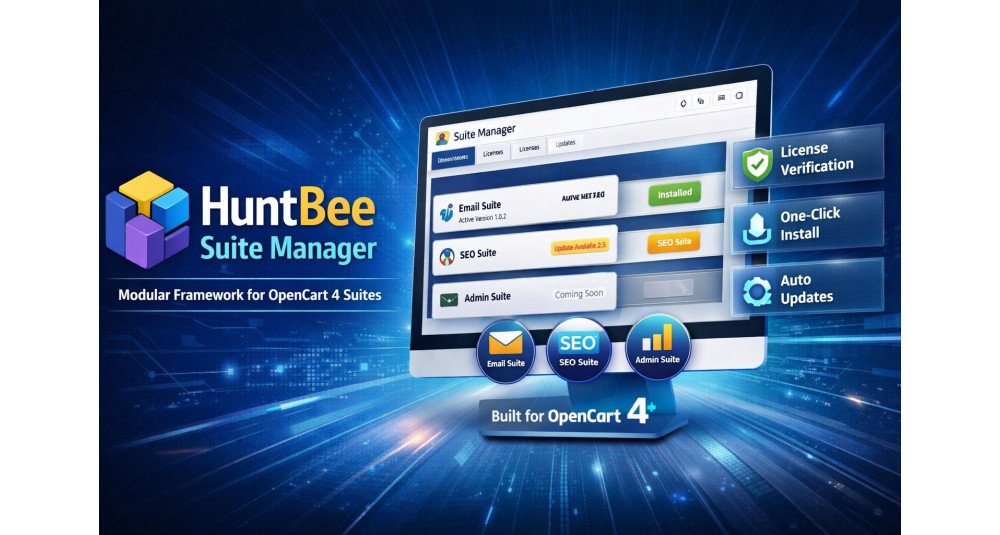
HuntBee Suite Manager is a completely free OpenCart 4 extension that gives you one central place to manage HuntBee products, install updates, manage licenses, configure AI services, organize media, and troubleshoot OpenCart events.

It is the foundation of the HuntBee Suite ecosystem, but it is more than just a framework. Even by itself, it provides useful administration tools including Media Manager, Events Manager, centralized AI Settings, update management, diagnostics, and HuntBee Suite management.

Once installed, compatible HuntBee Suites such as SEO Suite, Admin Tools Suite, Email Suite, and Tracking & Analytics Suite can use the same shared system.

Download it free. No license is required for HuntBee Suite Manager.


Problem Statement

Managing multiple advanced OpenCart extensions can quickly become complicated.

You may need to:

  • Visit different product pages to check for updates
  • Download and upload ZIP files manually
  • Keep track of installed extension versions
  • Manage different license systems
  • Configure AI API keys separately in different extensions
  • Work with OpenCart events when troubleshooting extensions
  • Manage images and files using different interfaces
  • Navigate through many unrelated administration pages

HuntBee Suite Manager brings these common operations together into one organized OpenCart administration system.

The result is less repetitive maintenance and a much simpler way to manage HuntBee-powered stores.


Who Is This Extension For?

HuntBee Suite Manager is useful for:

  • OpenCart 4 store owners who want easier extension management
  • Existing HuntBee customers using compatible HuntBee products
  • Stores using multiple HuntBee Suites
  • Developers and agencies maintaining OpenCart stores
  • Users working with AI-powered HuntBee features
  • Administrators who need easier media management
  • Developers troubleshooting OpenCart events
  • Anyone planning to use future HuntBee Suite products

Because the Suite Manager itself is free, you can install it even before purchasing a HuntBee Suite.


Key Benefits

Completely Free

HuntBee Suite Manager itself does not require a paid license.

Install it and immediately get access to the shared HuntBee management tools.

Much Easier HuntBee Updates

See when updates are available directly from your OpenCart admin.

Supported HuntBee Suite updates can be downloaded and installed through the Suite Manager, reducing the need to repeatedly visit the HuntBee website, download packages, and upload files manually.

One Dashboard for HuntBee Suites

View installed Suites, versions, available releases, update status, licenses, and setup information from one place.

Built-In Media Manager

Browse, upload, search, preview and organize OpenCart media files from a modern centralized interface.

Central AI Configuration

Configure OpenAI, Google Gemini or Anthropic Claude once and allow compatible HuntBee Suite features to use the shared AI configuration.

OpenCart Events Manager

Inspect HuntBee and other OpenCart events, enable or disable events, edit event configuration and use optional event logging when troubleshooting.

Centralized License Management

Activate and view licenses for commercial HuntBee Suites from the same administration area.

Designed for Future HuntBee Products

Install the core framework once and use it with additional compatible HuntBee Suites as the ecosystem grows.


Purpose of the Extension

The purpose of HuntBee Suite Manager is to make the HuntBee OpenCart ecosystem easier to install, update, configure and maintain.

Instead of every advanced HuntBee extension creating its own update system, AI configuration, media tools, licensing infrastructure and supporting utilities, these services can be provided centrally.

This means individual HuntBee Suites can concentrate on their actual business features while Suite Manager handles the common infrastructure.


Complete Feature List

Suite Management & Updates

  • Centralized Suite Dashboard
    View compatible HuntBee Suites from one OpenCart administration page.
  • Installed Version Information
    Quickly see the version currently installed on your store.
  • Latest Version Detection
    Check whether a newer compatible release is available.
  • Update Availability Indicator
    Clearly identify Suites requiring an update.
  • Integrated Updates
    Download and install supported HuntBee Suite updates through the Suite Manager.
  • Framework Updates
    Keep the HuntBee Suite Manager itself updated.
  • Changelog Viewer
    See what has changed before installing an available release.
  • Complete Setup Workflow
    When updated Suite files are detected, complete the required installation steps directly from the Suite Manager.
  • Repair Options
    Repair Suite installations when setup requires attention.
  • Manual Package Upload
    Manually provide an update package if automatic downloading is unavailable.
  • FTP Installation Alternative
    Use the provided manual installation approach when server restrictions prevent automatic package installation.


Media Manager

HuntBee Suite Manager includes a centralized Media Manager for OpenCart.

Use it to manage files without leaving the HuntBee administration environment.

Features include:

  • Browse OpenCart Media Files
  • Upload Files
  • Drag & Drop Upload
  • Create Folders
  • Search Within Folders
  • Grid and List Views
  • Image Preview
  • Rename Files and Folders
  • Move Multiple Items
  • Delete Files
  • Delete Empty Folders
  • Copy Relative File Paths
  • View File Size
  • View File Type
  • View Image Dimensions
  • View Modification Information
  • Select Media for Compatible HuntBee Features
  • OpenCart Permission Integration

The same Media Manager can also be used by compatible HuntBee Suite components whenever they need image or file selection.


HuntBee AI Settings

Configure AI services centrally instead of entering API configuration separately inside every compatible HuntBee feature.

Supported providers include:

  • OpenAI
  • Google Gemini
  • Anthropic Claude

Available configuration includes:

  • Default AI Provider
  • Enable or Disable Individual Providers
  • Secure API Key Configuration
  • Default Model Selection
  • Custom Model ID
  • Reasoning Effort
  • Verbosity Controls Where Supported
  • Maximum Output Tokens
  • Temperature Where Supported
  • Test Connection
  • Optional AI Request Logging
  • AI Log Viewer
  • Clear AI Logs

Once configured, compatible HuntBee features such as AI content generation and translation tools can use this shared AI infrastructure.

This means you configure your preferred AI service once and reuse it across supported HuntBee Suites.


Events Manager

OpenCart relies heavily on events to allow extensions to modify behaviour without editing core files.

HuntBee Suite Manager provides an Events Manager that makes these events easier to inspect and troubleshoot.

Features include:

  • View HuntBee Events
  • View Other OpenCart Events Separately
  • See Event Code
  • See Event Description
  • View Trigger
  • View Event Action
  • View Sort Order
  • View Event Status
  • Edit Existing Events
  • Enable Events
  • Disable Events
  • Bulk Event Actions
  • Delete Events
  • Optional HuntBee Event Logging
  • Event Log Viewer
  • Clear Event Logs

Event logging is intended primarily for troubleshooting and can remain disabled during normal store operation.

This can be especially useful when diagnosing extension conflicts or confirming whether HuntBee event handlers are being triggered correctly.


License Management

  • Centralized License Activation
    Activate compatible commercial HuntBee Suites from one place.
  • License Verification
    Verify licenses with the HuntBee licensing service.
  • License Status Display
    Quickly identify whether a Suite license is active.
  • License Expiry Information
    See license validity information directly from the Suite Manager.
  • Offline Activation Support
    Alternative activation is available for environments where normal online activation cannot be completed.

Administration & Maintenance

  • Organized HuntBee Navigation
  • Consistent HuntBee Suite Interface
  • Shared HuntBee Infrastructure
  • OpenCart Permission Management
  • Installation Diagnostics
  • Lifecycle Logging
  • Online Documentation Access
  • Quick Access to HuntBee Support
  • OpenCart-Native Architecture
  • No Third-Party Framework Required
  • Expandable Architecture for Future HuntBee Suites

How to Use

1. Install HuntBee Suite Manager

Download and install the free HuntBee Suite Manager on your supported OpenCart 4 store.

2. Open HuntBee Suites

Access the HuntBee Suite Manager from your OpenCart administration menu.

3. Use the Free Tools

You can immediately use available shared tools such as:

  • Media Manager
  • Events Manager
  • AI Settings
  • Suite update management

4. Configure AI If Required

If you use AI-powered HuntBee features, configure your preferred OpenAI, Gemini or Claude account under HuntBee AI Settings.

5. Add HuntBee Suites

Activate and install compatible commercial HuntBee Suites whenever you need additional functionality.

6. Keep Everything Updated

Return to Suite Manager to check versions, view changelogs and install compatible updates.


Use Cases

Keeping HuntBee Extensions Updated

Instead of manually checking HuntBee product pages, use the Suite Manager to identify available Suite updates from your OpenCart admin.

Managing Store Media

Upload, browse, search, preview, rename and organize OpenCart media files using the included Media Manager.

Using AI Across Multiple HuntBee Products

Configure OpenAI, Gemini or Claude once and reuse the configuration with compatible HuntBee AI features.

Troubleshooting OpenCart Events

Inspect HuntBee and other OpenCart events and temporarily enable event logging when diagnosing problems.

Managing Multiple HuntBee Suites

Keep SEO, administration, email, analytics and future HuntBee products organized under the same management environment.

Maintaining Client Stores

Developers and agencies can quickly check HuntBee Suite versions, licenses, events and update availability when maintaining customer websites.


Expected Results

After installing HuntBee Suite Manager, you can expect:

  • Easier HuntBee Suite updates
  • Less manual downloading and uploading of extension packages
  • Clear visibility of installed and latest versions
  • One central dashboard for HuntBee products
  • Easier media and file management
  • One AI configuration shared by compatible HuntBee features
  • Better visibility into OpenCart events
  • Easier troubleshooting
  • Centralized license management
  • Cleaner HuntBee administration
  • Easier long-term maintenance
  • A ready foundation for future HuntBee Suites

Most importantly, the Suite Manager reduces the work required to maintain your HuntBee extensions over time.

Install it once, and future compatible HuntBee products and updates become much easier to manage.


Requirements

OpenCart 4

HuntBee Suite Manager is developed specifically for the modern OpenCart 4 architecture.

Supported OpenCart Releases

Currently intended for supported OpenCart 4.1.x installations.

Suite Manager Is Free

No paid HuntBee license is required to install or use the HuntBee Suite Manager itself.

Paid Suites Require Their Own License

Commercial HuntBee Suite products require the applicable license for activation, updates and support.

AI Provider Account Required for AI Features

Using OpenAI, Gemini or Claude requires your own applicable provider API credentials. API usage charges, if any, are billed by the respective AI provider and are not included with HuntBee Suite Manager.

Internet Connection

Online license verification, update checking, automatic package downloads and AI services require internet connectivity from your OpenCart server.

Keep OpenCart Updated

HuntBee Suite development prioritizes current OpenCart releases. Keeping your OpenCart installation reasonably up to date is recommended when using newer HuntBee Suite releases.

Why Choose HuntBee for Your OpenCart Store?

When you install a HuntBee extension, you are choosing a solution built by an experienced OpenCart specialist who understands real-world store challenges.

  • VerifiedOfficial OpenCart Partner with proven expertise
  • Established OpenCart Specialist Since 2012
  • 14+ Years Dedicated to OpenCart Development
  • 100+ Extensions Used by OpenCart Stores Worldwide
  • Performance-focused and SEO-friendly architecture
  • Continuous improvements and dependable support
Complete Feature Catalogue

Explore what this extension can do for your store, with practical examples.

Features for OpenCart 4

Admin & Management

Feature What it does / Real-world example
Manage HuntBee Suites from one dashboard View HuntBee Framework and the available HuntBee Suites together, with their descriptions, versions, installation status and available actions.
See which Suites are installed or need setup The dashboard distinguishes installed, not installed, activated but not installed, setup required and repair-required states.
Compare installed and available Suite versions Check the version currently installed and see whether an update is available for each supported Suite.
Check for Suite updates when you choose Click Check Updates to request the latest available release information instead of waiting for the previously cached result.
See when Suite updates were last checked The dashboard shows the last update-check time so you know how recently the available-version information was refreshed.
Install a licensed Suite from the manager After activating a valid Suite license, download and install its package using the management page instead of manually transferring every component.
Update installed Suites from the same dashboard Apply a newer available version of a supported Suite without reinstalling it from scratch.
Update the HuntBee Framework itself Use the Framework card to install the latest compatible Framework package before updating other Suites that require it.
Know when the Framework needs updating first The manager displays a warning and restricts incompatible Suite installation, update or repair actions until the Framework has been updated.
Complete a Framework update after its files have changed When a Framework update requires a finishing step, the manager offers a way to complete setup and register the new version.
Activate a Suite using its license key Enter a HuntBee Suite license key and verify it against HuntBee's licensing service before using the Suite's installation and update tools.
Manage Suite licenses individually Each separately licensed Suite keeps its own activation information rather than relying on one license for every HuntBee product.
Use the store domain for license verification The manager checks licenses against the applicable store domain so Suite activation is associated with the intended website.
See whether Suite activation is valid Recognize active licenses, expired update periods and licenses approaching expiry directly on the Suite cards.
View masked license details in the admin Identify a saved license without showing the complete license key in the normal Suite dashboard.
See a Suite's update expiry date Check the recorded expiry or update-validity date to know whether a new release requires renewing your entitlement.
Refresh license information before online updates For online-activated Suites, the manager can recheck eligibility with HuntBee before downloading a new version.
Generate a request for offline activation Prepare an offline activation request containing the Suite and store-domain details when ordinary online activation is unavailable.
Activate a Suite using an offline license file Upload a compatible signed offline license response to authorize a Suite without a live license request during the activation step.
Use stored offline-license details for eligible updates When a Suite was activated offline, update eligibility can be checked using the signed activation information stored locally.
Install a Suite from an official ZIP package Upload an eligible HuntBee Suite ZIP directly when automatic downloads are unavailable or when a manual installation is preferred.
Upload sizeable Suite packages within the allowed limit The manual package uploader accepts eligible ZIP archives up to the configured 100 MB upload limit in the manager.
Complete setup when Suite files were uploaded separately If the correct Suite files have been transferred through FTP or hosting tools, the manager can detect them and offer Complete Setup.
Repair an incomplete Suite installation If the manager detects an interrupted or incomplete installation, choose Repair Installation to attempt to complete the required setup.
Use a manual package when automatic repair cannot finish When remote package download or repair fails, the manager can offer an upload-based recovery path for eligible Suites.
Uninstall a Suite from the manager Remove an installed HuntBee Suite through its management controls without manually disabling every component.
Uninstall while asking the Suite to retain its data Choose Data-safe Uninstall when you want the Suite's supported uninstaller to preserve its existing stored information.
Choose a full Suite removal when appropriate The manager also provides a complete-uninstall option that requests full cleanup through the selected Suite's uninstaller.
Protect the shared Framework from accidental removal The manager blocks ordinary Framework removal because other installed HuntBee Suites may depend on it.
Open an installed Suite's dashboard Jump from Suite Manager into an installed Suite's overview page when that Suite provides one.
Find the purchase page for an unlicensed Suite Where available, Suite cards link to the relevant HuntBee product page so you can review or purchase it.
Configure AI services in one shared settings page Set up the AI providers that compatible HuntBee Suite features use instead of repeating credentials in each individual Suite.
Connect OpenAI for supported HuntBee AI tools Enable the OpenAI provider and save its API key and chosen model for compatible Suite features.
Connect Google Gemini for supported HuntBee AI tools Configure a Gemini API key, enabled state and model from the central Framework AI settings.
Connect Claude for supported HuntBee AI tools Configure an Anthropic Claude API key, enabled state and model from the same AI settings page.
Choose the default AI provider for HuntBee tools Select which configured provider compatible Suite components should use by default.
Choose an AI model for each provider Select a supplied model option or enter a custom model identifier when a specific model is not in the list.
Control AI output settings by provider Adjust supported settings such as output-token limits or temperature according to the provider being used.
Test your AI provider connection from the admin Run a short connection test for OpenAI, Gemini or Claude to check whether the entered credentials and selected model work.
View and clear optional AI request logs Enable the Framework AI log to troubleshoot supported generation requests, inspect recorded activity and clear the log.
Keep saved AI keys hidden from the settings screen Existing provider API keys are not displayed again in their settings fields; leaving a key field blank preserves its saved value.
Manage store media files from the OpenCart admin Browse and organize eligible files under the store's managed image directory using the HuntBee Media Manager.
Browse folders and search for media Navigate through managed folders and search filenames to locate the pictures or documents you need.
Switch between media browsing layouts Choose an image-focused grid or a list view depending on how you prefer to work with your files.
Upload several media files together Select or drop multiple permitted files into the current folder, subject to your store's file-size and media-type limits.
Preview supported media without downloading it Open a preview of eligible pictures and supported file formats directly from the media browser.
Create folders for organized media Add subfolders to group product pictures and other supported assets under sensible names.
Rename managed files and folders Change a selected item's filename or folder name without using the hosting control panel.
Move media files between folders Select eligible items and move them to another folder through the media management screen.
Delete eligible media files or empty folders Remove selected items when no longer needed. Populated folders are protected from direct deletion.
Inspect file details before using a media item Check available filename, size, type and image dimensions while browsing supported media.
Choose the right file types for each media task Limit browsing and uploads to suitable image or other allowed media contexts rather than accepting every file type everywhere.
Select files through a reusable media picker Compatible HuntBee tools can open the picker to choose one or several permitted files for a form.
Understand the effect of moving or renaming media The Media Manager warns that changing file paths does not automatically update product or other existing references to those files.
See HuntBee and other OpenCart events View registered OpenCart events in one management screen, with HuntBee events separated from other extensions' events.
Edit an existing event's settings Change a registered event's trigger, action, sort order or enabled state when troubleshooting or maintaining integrations.
Enable, disable or delete selected events Perform supported bulk actions on selected OpenCart events without changing each one individually.
Enable event logging temporarily for troubleshooting Turn on HuntBee event debugging when investigating a problem, then switch it off again for normal operation.
Review HuntBee event activity in the admin Inspect recorded event information when troubleshooting enabled HuntBee Suite components.
Clear the event debug log when it is no longer needed Remove previous recorded event entries after an investigation, without changing Suite settings.
See a warning when event logging is enabled The Suite Manager highlights that event debugging is active so it is less likely to be left on unnecessarily.
Review Suite installation and update history Open a dedicated log of Suite installation, update, repair and removal activity to investigate what occurred during an operation.
Download installation logs for support Save the Suite Manager lifecycle log when you need to share installation details with technical support.
Clear old installation logs Clear the stored lifecycle log from the admin when previous installation records are no longer required.
Access the Framework integration guide Open the in-admin developer guide for supported Framework features and integration conventions.
Open HuntBee Suite documentation and support Use the Suite Manager's links to access HuntBee's documentation website and support resources.
Check important server requirements at a glance The manager shows the PHP version and whether cURL is available, helping identify basic requirements for remote Suite operations.

Automation & Maintenance

Feature What it does / Real-world example
Recognize Suites from their installed manifests The Framework reads Suite manifest files to discover supported products and their local version details.
Discover Suite components automatically Installed Suite components are identified from their controller files and checked for the required implementation structure.
Check Suite component versions before setup The manager validates component identities and version information so unsuitable component files are not treated as properly installed.
Remember the actual installation state of each Suite The Framework stores installed versions and setup or repair states so it can distinguish new files from a completed installation.
Detect Suite files that have been uploaded outside the manager When package files are present but setup has not run, the manager can recognize that a finishing step is required.
Cache Suite update information to reduce repeated requests Recent update results can be reused instead of contacting HuntBee's update service on every dashboard visit.
Keep available update information after a temporary network failure If a fresh update check fails, previously cached update details can remain available for reference.
Verify Suite licenses against HuntBee's server when needed Online activation and eligible updates contact the HuntBee licensing service to check the Suite, key and store domain.
Prevent updates after the licensed update period ends When a Suite's update entitlement has expired, the manager stops the online update instead of silently applying an ineligible package.
Check Framework compatibility before managing dependent Suites If the Framework is outdated, the manager blocks affected Suite package operations until the required Framework update is completed.
Download official Suite packages to private storage Online Suite downloads are placed into the configured OpenCart storage directory for validation and installation.
Verify package checksums when provided For supported online downloads, the installer compares the supplied SHA-256 checksum with the package before deploying it.
Check that a ZIP belongs to the chosen Suite The installer reads the package manifest and rejects a package whose Suite identity or version details do not match the selected action.
Prevent accidentally installing an older Suite version If a package version is lower than the recorded installed version, the manager rejects it instead of silently downgrading.
Reject unsafe or unexpectedly large package contents The package handler checks entry paths, repeated filenames, archive limits and expected files before extraction.
Check and prepare update files before replacing installed files Packages are extracted into temporary storage and validated before being deployed to the HuntBee extension directory.
Restore backed-up files when a deployment fails The package handler maintains a backup of replaced files and can roll back supported file changes after an unsuccessful deployment.
Prevent two operations from changing the same Suite at once The manager uses a per-Suite lock so an update, repair or uninstall cannot overlap another operation on the same Suite.
Finish Framework updates after the refreshed code is loaded Framework updates can be recorded as pending and finalized in a separate step when updated files need to run their own installer.
Run Suite-specific install and update steps After files are prepared, the Framework calls the appropriate Suite installer so its supported setup or migration work can run.
Record repair state when installation does not finish An incomplete setup can be marked for repair so the admin can address it instead of incorrectly showing the Suite as installed.
Register permissions for newly installed tools During supported installation, the Framework adds access and modify permissions for discovered Suite components to the relevant user group.
Refresh OpenCart caches after supported Suite operations The installation process can clear or refresh operational caches so updated routes and settings become available.
Request data-preserving cleanup during Suite removal The uninstall workflow passes a data-safe option to the Suite's own uninstaller rather than deleting every data table itself.
Record installation lifecycle events and failures Major package, installer and repair steps are written to a dedicated lifecycle log with operation context for troubleshooting.
Limit the size of the event debug log automatically When enabled, event debugging uses a bounded log that resets after reaching its size limit rather than growing without control.
Reduce sensitive information in recorded event logs The event logger sanitizes recorded fields and attempts to redact known sensitive keys and values from debugging output.
Restrict media operations to validated file paths The Media Manager checks path boundaries and media types before allowing uploads, previews, renames or deletes.
Validate and temporarily stage uploaded media files Eligible files are checked for allowed types, MIME information and upload limits before being moved into their final directory.
OPENCART
Compatibility 4.1.0.4, 4.1.0.3

VERSION : 4.2.3DATE RELEASED: 25 Oct 2026
  • Improved compatibility with the latest HuntBee Suites, including Email Suite 4.2.8.
  • Removed the deprecated Send Email menu entry from Email Suite.
  • Improved component menu handling to prevent outdated menu entries.
  • Minor maintenance and compatibility improvements.

VERSION : 4.2.2DATE RELEASED: 15 Oct 2026
  • Updated AI integration with the latest OpenAI, Google Gemini, and Anthropic Claude models.
  • Added support for GPT-6.1 Sol, GPT-6 Luna, GPT-6 Astra, and GPT-6 Sol.
  • Added support for Gemini 3.8 Flash and updated available Gemini model options.
  • Added support for Claude Sonnet 5.5, Haiku 5.5, and Opus 5.5.
  • Improved compatibility with GPT-6 reasoning settings and request parameters.
  • Improved AI connection testing with better token limits and timeout handling.
  • Enhanced Gemini API authentication for improved security.
  • Preserved existing API keys, provider configurations, and saved model preferences during updates.
  • Maintained compatibility with SEO Suite, Email Suite, and Admin Tools Suite AI features.

VERSION : 4.2.1DATE RELEASED: 26 Sep 2026
  • Added a shared Secret Service to securely encrypt credentials used by HuntBee Suites, including SMTP passwords and API keys.
  • Improved encryption-key creation and recovery safeguards.
  • Added Secret Service documentation to the Framework Integration Guide.

VERSION : 4.1.4DATE RELEASED: 10 Sep 2026
  • Changelog view updated

VERSION : 4.1.3DATE RELEASED: 09 Sep 2026
  • Fixed Suite Overview permission registration.
  • Suite Overview routes now receive both Access and Modify permissions during Suite installation, update, repair, and setup.
  • Resolves permission errors when administrators perform actions such as enabling or disabling Suite-level settings from an Overview page.
  • Improved consistency between Suite component permissions and Suite Overview permissions.

VERSION : 4.1.2DATE RELEASED: 03 Sep 2026
  • Added docs link to huntbee suite manager.
  • Enhanced AI settings to preserve existing API keys on blank submissions.

VERSION : 4.1.0DATE RELEASED: 31 Aug 2026
  • Added Tracking Suite Support

VERSION : 4.0.5DATE RELEASED: 29 Aug 2026
  • First production release

VERSION : 1.4.14DATE RELEASED: 15 Aug 2026
  1. Added Media Manager
  2. Added Events Manager

VERSION : 1.4.2DATE RELEASED: 02 Aug 2026
  • First production ready release

VERSION : 1.2.3DATE RELEASED: 02 Aug 2026
  • Testing and development phase

VERSION : 1.1.1DATE RELEASED: 01 Aug 2026

Updates to huntbee framework suites installation


VERSION : 1.0.1DATE RELEASED: 15 Feb 2026
  • Test Update
Customer feedback

Reviews (0)

0 / 5
0 reviews
Share your experience

Write a review

Note: HTML is not translated!
Choose 1 to 5 stars
Captcha
Tags
This extension / product is currently unavailable to download. Enter your email address below and we will notify you as soon as the product becomes active.
Name
Email
Comments