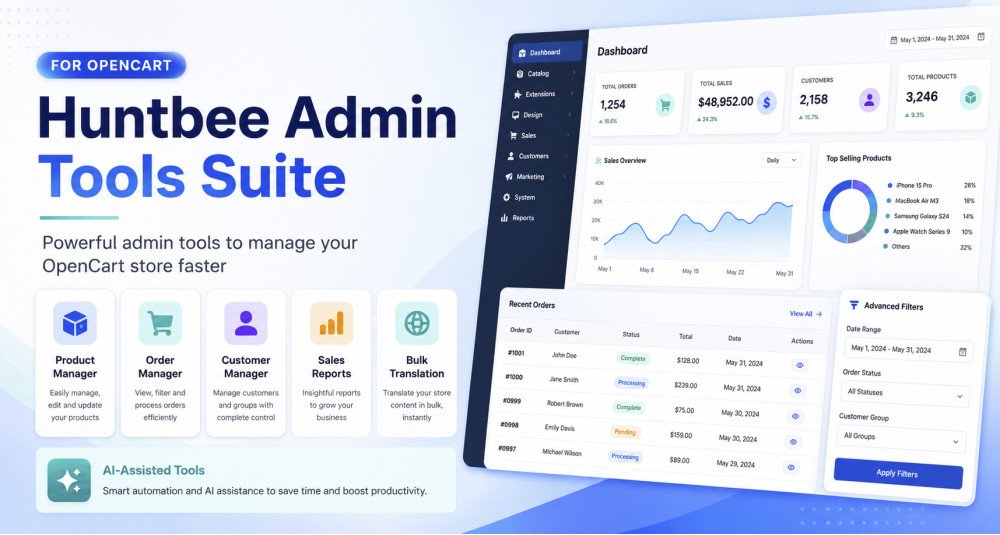
| Manage eight admin tools in one Suite |
Access Product Manager, Order Manager, Customer Dashboard, Sales Performance, Profit & Analytics, Bulk Translate, PDF Invoice and Shipment Manager. |
| View and edit products from a searchable table |
Find catalogue products without opening a separate full product form for each change. |
| Find products needing attention |
Filter low-stock, out-of-stock, disabled, recently added, on-special, image-less or uncategorized products. |
| Filter the catalogue by store and product details |
Narrow results by store, manufacturer, category, availability and other supported criteria. |
| Choose the information shown in product rows |
Display stock, price, identifiers, special price, manufacturer, categories, stores and other optional columns. |
| Edit common product fields directly in the list |
Update supported values by double-clicking an editable table cell. |
| Edit a product in a focused popup |
Manage supported product data, associations, images, language content and attributes without leaving the grid. |
| Edit product descriptions in individual languages |
Maintain translated names, descriptions, tags and meta fields in their corresponding language records. |
| Add a missing product-language record |
Create a supported content row for a language that does not yet have product text. |
| Edit main and additional product images |
Choose, upload, reorder or remove supported images through the product editing tools. |
| Manage product attributes by language |
Look up attributes and edit their values for the appropriate languages. |
| Manage categories, filters and related products |
Add or remove supported product associations in a single editing workflow. |
| Assign products to selected storefronts |
Add, remove or replace store associations so an item appears in the intended shops. |
| Manage promotional prices |
Review and update eligible customer-group specials and promotional date ranges. |
| Review quantity-based discount prices |
See tier prices separately from a current special price so the two are not confused. |
| Maintain stock and availability settings |
Edit product quantity, subtract-stock behavior, stock status and availability-related fields. |
| Preview bulk product operations before saving |
See matching products, changes, skipped items and possible master/variant conflicts. |
| Change many product values at once |
Apply eligible price, status, quantity and similar updates to a chosen product selection. |
| Update product associations in bulk |
Add, remove or replace supported categories, stores, filters and related products. |
| Select all products matching current filters |
Work with a filtered selection beyond the visible page while reviewing the operation first. |
| Monitor product bulk processing |
Review completed, skipped and failed records, cancel unprocessed work and retry eligible failures. |
| Respect master and variant product relationships |
Distinguish master, variant and orphan products and avoid unsupported changes to inherited values. |
| Identify duplicate product identifiers |
Find matching SKU or similar code values and distinguish expected variant inheritance from unrelated duplicates. |
| Quickly add or duplicate products |
Create a basic new product or copy an existing one without reusing conflicting identifiers and SEO URLs. |
| Delete selected products with confirmation |
Use controlled deletion and additional master/variant safeguards instead of removing records without review. |
| Configure Product Manager display defaults |
Choose page size, language, thumbnail dimensions, low-stock threshold and preferred identifier. |
| Search orders by customer or reference |
Find an order by number, invoice, customer name, email or telephone. |
| Filter orders by detailed criteria |
Narrow orders by date, amount, status, store, buyer type, product, payment or delivery information. |
| Open ready-made order worklists |
Review today's orders, unprocessed orders, high-value orders or other common operational views. |
| Create your own reusable order views |
Save filters, sort settings and columns for a repeated task such as checking pending COD orders. |
| Customize the order table |
Choose product, contact, invoice, shipping, payment, age and other available columns. |
| Color-code order statuses |
Choose badges and row colours so important order states stand out. |
| Inspect an order without leaving the list |
Open a panel for overview, customer, addresses, items, history and available related tools. |
| Review shipments from an order |
Open the order's shipment information when Shipment Manager is installed and available. |
| Update status or add order-history notes |
Use OpenCart's supported order-status workflow from within Order Manager. |
| Edit supported order addresses |
Correct permitted payment and shipping details with validation and permission checks. |
| Manage order reward and commission entries |
Review and apply eligible reward point and affiliate commission actions from the order panel. |
| Navigate between nearby orders |
Move to the previous or next eligible order while reviewing customer orders. |
| Change many order statuses together |
Preview eligible orders and apply a chosen status in a managed bulk run. |
| Choose whether bulk updates email customers |
Keep customer notifications off by default, or deliberately enable them for an eligible status update. |
| Review bulk status progress and failures |
See completed, skipped and uncertain orders and retry only work safe to repeat. |
| Permanently delete selected orders through a guarded run |
Preview the selected orders, confirm explicitly and monitor eligible deletion work. |
| Delete selected order history records when authorized |
Use supported confirmation and processing controls for order-history cleanup. |
| Export order data as CSV or Excel |
Download eligible selected or filtered order information with the available export formats. |
| Select the columns in exported orders |
Choose supported order, customer, address and product data rather than exporting everything blindly. |
| Generate invoices and packing slips for selected orders |
Use the optional PDF component's integrated document actions from Order Manager when available. |
| Restrict sensitive order operations |
Configure which user groups can perform destructive actions and full-data exports. |
| Check Order Manager readiness |
Review API availability, database capabilities, event logging and recommended indexes. |
| Control expensive history filters on very large stores |
Limit status-age queries when large history tables lack the recommended index. |
| Find customers using search and detailed filters |
Search by contact details, group, store, country, purchases, status and amount spent. |
| Identify repeat, loyal, VIP and inactive buyers |
Segment customers based on eligible order counts and the time since their last purchase. |
| See customer lifetime value and purchase frequency |
Review purchases, average order value, repeat rate and other customer metrics. |
| Inspect a customer's order and account history |
Open a profile with available orders, purchased products, contact information and account details. |
| Review carts and wishlists for a customer |
See supported shopping-cart, wishlist and product-interest information where available. |
| Inspect account activity and reward information |
Review available addresses, searches, IPs, reward entries and customer activity. |
| Email a customer from their profile |
Send a message with a subject and body through the available admin action. |
| Manage accounts and selected customer deletions |
Open native account editing or remove chosen customers with appropriate authorization. |
| Analyze customer growth and returning customers |
Compare first-time versus repeat buyers, customer registrations and customer segments over time. |
| Compare guest buyers with registered customers |
Measure guest orders and revenue within a selected reporting period. |
| Find customers who bought a selected product |
Use product-buyer analysis and view customer distribution by eligible country and segment. |
| Customize customer segment thresholds |
Set the windows for new and inactive customers and the order counts for repeat, loyal and VIP groups. |
| Export customer and buyer reports when permitted |
Restrict personal-data downloads to configured administrative user groups. |
| Review customer metric refresh and rebuild status |
See pending metrics, rebuild progress and recommended indexes. |
| Monitor orders, revenue and units sold |
Review total orders, order revenue, average order value, distinct buyers and products sold. |
| Filter performance by store and order status |
Choose one or all stores, time periods and the order statuses used for calculations. |
| Compare sales with previous periods |
Compare current results against an earlier period or the same period last year. |
| See monthly and yearly sales charts |
Explore month-by-month, year-by-year and all-time sales trends. |
| Find the products responsible for sales |
Review top sellers, high-revenue products and low-performing items. |
| Identify products with declining or no sales |
Use product health reports to find dormant products, declining sellers and new successes. |
| Compare sales by buyer type and other dimensions |
Analyze guest versus registered buyers and other supported performance breakdowns. |
| Review coupon use and related sales |
See coupon order counts, discount amounts and revenue from orders using coupon codes. |
| Understand order totals separately from product revenue |
Review product-line sales, full order totals and supported order-total breakdowns. |
| See returned quantities alongside sales figures |
Review returned units as a separate measure instead of automatically subtracting them from sales revenue. |
| Export supported sales reports |
Download available performance summaries and product analysis data. |
| Record product purchase costs |
Maintain unit costs to calculate gross profit rather than treating the selling price as profit. |
| Keep cost history with effective dates |
Record when a cost became applicable so earlier sales can use suitable historical values. |
| Manage costs for different stores |
Use store-specific costs and eligible default-store inheritance where currency settings permit. |
| Update many product costs together |
Preview and apply fixed-amount or percentage cost adjustments. |
| Import and export product cost records |
Use supported CSV import and export tools for larger cost updates. |
| Capture costs for existing orders |
Run a controlled historical capture so past sales can be included in profitability reports. |
| Recalculate order profit after fixing historical costs |
Choose an explicit Recost operation rather than changing old captured order figures silently. |
| See gross profit, cost of goods and profit margin |
Compare qualifying sales revenue with recorded product costs and known profit. |
| Find low-margin, profitable and loss-making products |
Review item performance by gross profit, margin, missing cost and decline over time. |
| See the profitability of individual orders |
Inspect order revenue, item costs, gross profit and margin where cost data is sufficient. |
| Open a detailed order profit calculation |
See product lines, discounts, classified totals and recorded cost sources behind the result. |
| Identify missing or unreliable profit information |
Check cost coverage, missing historical costs, estimates, currency issues and other data-quality problems. |
| Classify totals from other extensions |
Choose whether suitable extra order totals count as income, discount, cost or should be ignored. |
| Control use of costs recorded after an order |
Exclude later costs from historical profit or include them as explicitly estimated values. |
| Restrict access to profit and cost downloads |
Choose user groups allowed to export commercially sensitive data. |
| Tune profit reporting for large stores |
Use configurable report caching and apply suggested database indexes when needed. |
| Translate catalogue text to selected store languages |
Choose a source language and one or more target languages for supported content. |
| Translate multiple kinds of catalogue records |
Work with products, categories, information pages, articles, topics, attributes, options and filters. |
| Choose which fields to translate |
Select supported names, descriptions, meta tags and other language fields rather than replacing the entire record. |
| Choose AI or Google Cloud Translation |
Use an AI provider configured in HuntBee Framework or a Google Translation API key. |
| Fill missing translations or deliberately overwrite them |
Select a missing-only operation to preserve existing text, or overwrite when replacing translations is intended. |
| Review translation coverage before processing |
See which supported content and language fields are populated or still need translation. |
| Monitor the translation queue |
See pending, completed and failed translation jobs rather than running the whole catalogue in one web request. |
| Retry failures and restore supported translations |
Retry unsuccessful jobs and restore earlier translated values from activity records where available. |
| Translate repeated catalogue terminology |
Translate supported reusable attribute, option and filter terms through the Catalog Terms workflow. |
| Inspect translation activity and error logs |
View and clear processing records to troubleshoot provider failures or unusual translation results. |
| Generate invoices from saved order information |
Create PDF invoices using the order details stored at checkout rather than today's product data. |
| Create packing slips for preparing parcels |
Produce separate packing documents with optional product prices and contact details. |
| Combine several invoices or slips into one PDF |
Generate a multi-order PDF with separate order sections or pages. |
| Preview PDFs before saving or printing |
Check a document against a real order before distributing it. |
| Use and customize document designs |
Choose built-in invoice or packing-slip templates and duplicate them to create your own. |
| Customize PDF layout and appearance |
Control item columns, product images, colours, page orientation, paper size and spacing where supported. |
| Add store branding and custom header or footer text |
Show a store logo, business contact information and safe formatted content with placeholders. |
| Display special text for matching orders |
Add rules such as showing bank-transfer details only on bank-transfer invoices. |
| Use document overrides for individual stores |
Keep shared settings with optional per-store template and branding choices. |
| Choose the document language |
Use the language saved with the order or the configured administrative language. |
| Add a watermark to invoices or packing slips |
Place optional text or a local image watermark with configured opacity. |
| Include a barcode or QR code in documents |
Encode supported order-related values in a QR code or barcode. |
| Create shipments with courier and tracking details |
Record the courier, tracking number, shipped date, expected delivery and product quantities for a parcel. |
| Ship order items in multiple parcels |
Record partial quantities and see already shipped and remaining quantities for each order line. |
| Maintain couriers and tracking URL formats |
Add couriers, enable or disable them and configure their tracking links. |
| Find shipments quickly |
Filter shipments by store, customer, courier, date, tracking number or email delivery status. |
| Edit recorded shipment details |
Update permitted shipment information and explicitly unlock shipped quantities when they need correction. |
| Choose a standard or compact shipment form |
Select a detailed form or a compact layout with a preferred starting quantity. |
| Send or resend shipment emails |
Choose to send customer notifications and review whether previous delivery was successful, failed or uncertain. |
| Optionally update the order status when creating a shipment |
Choose an allowed order status and whether shipment details should be included in the order history comment. |
| Customize shipment history text per language |
Set the wording and placeholders used when shipment information is recorded in order history. |
| Apply selected shipment settings by store |
Override supported settings for individual storefronts while inheriting shared defaults. |
| Delete a shipment while preserving historical records |
Remove the parcel record and restore remaining shippable quantities without undoing already sent emails or order history. |