How can Orders Manager PRO enhance my OpenCart store's order management?
Orders Manager PRO significantly enhances OpenCart store's order management by offering advanced tools for searching, filtering, and updating orders quickly. This extension allows you to handle orders more efficiently by overcoming the limitations of the default OpenCart order management system.
Can I update multiple orders at once in OpenCart using Orders Manager PRO?
Yes, with Orders Manager PRO, you can update the status of multiple orders at once in your OpenCart store. This bulk update feature saves time and enhances operational efficiency.
Is it possible to customize the order list view in OpenCart with Orders Manager PRO?
Absolutely, Orders Manager PRO allows you to customize the order list view in your OpenCart store by showing or hiding columns as needed. This makes it easier to view the information that is most relevant to your needs.
How does Orders Manager PRO help in tracking missing orders in OpenCart?
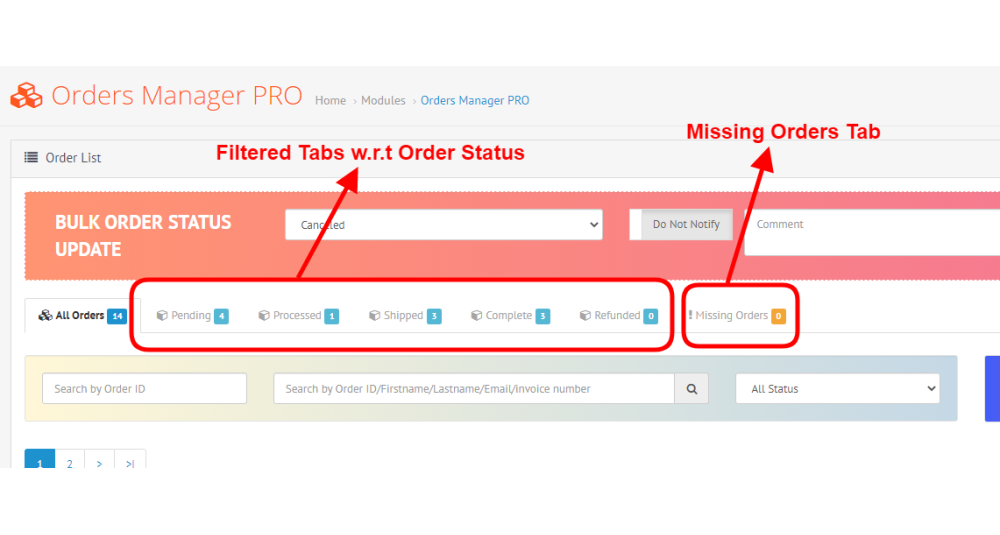
Orders Manager PRO includes a 'Missing Orders Tab' specifically designed to track and manage orders that are not listed in the default order view in OpenCart, ensuring no order goes unnoticed.
Can I easily export and import order data in OpenCart with Orders Manager PRO?
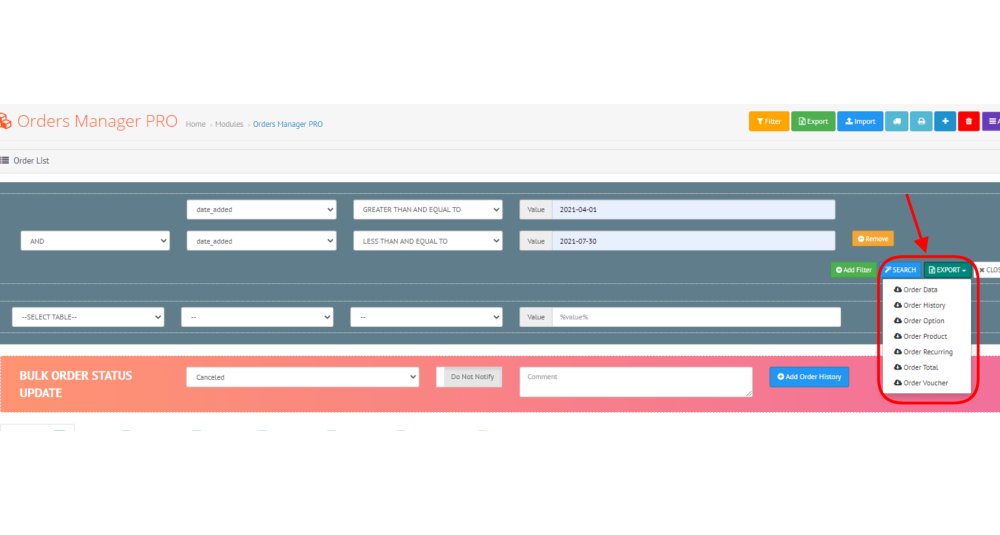
Yes, Orders Manager PRO provides easy options to export and import order details in your OpenCart store, facilitating external processing and data management.
What are the benefits of using AJAX search and advanced filters in Orders Manager PRO?
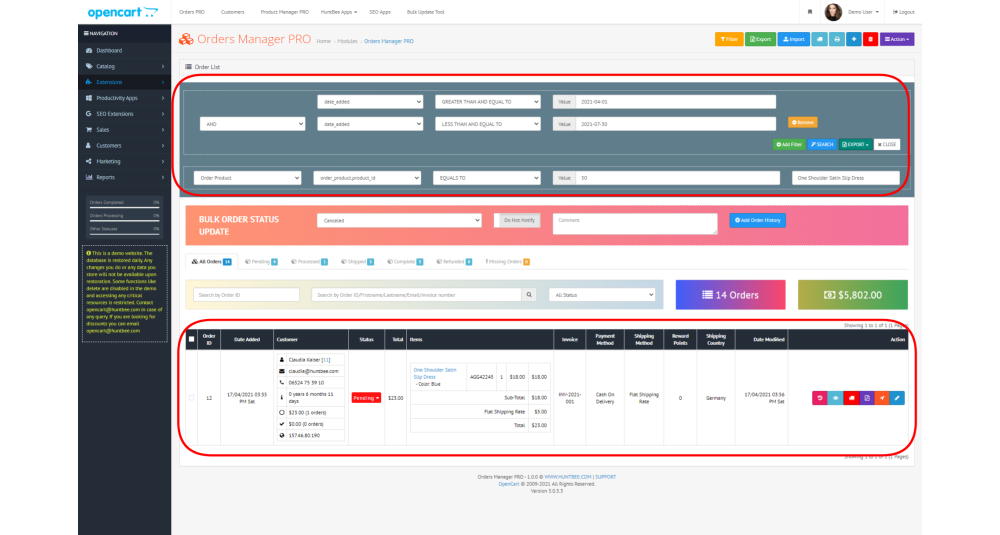
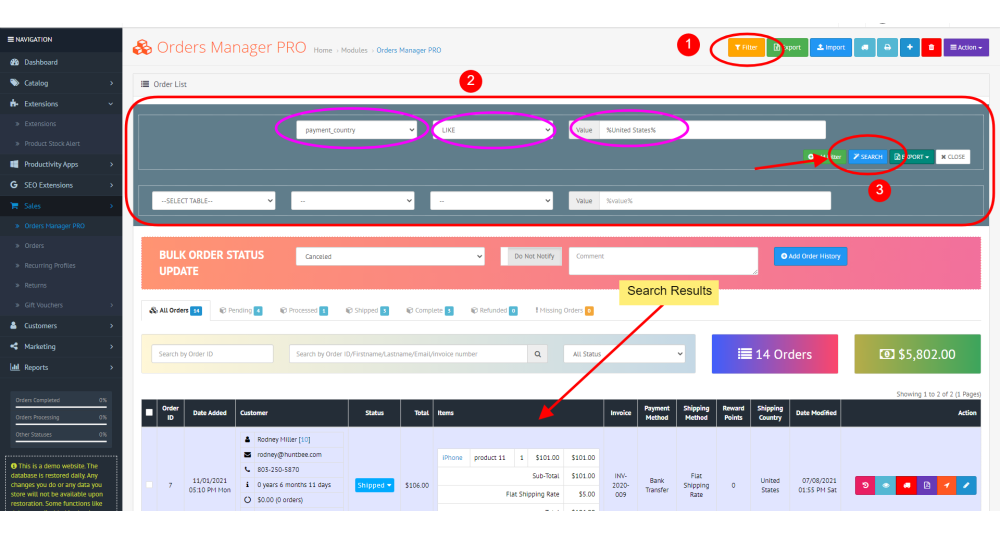
The AJAX search and advanced filters in Orders Manager PRO allow you to instantly locate orders in your OpenCart store, enhancing search efficiency and improving management workflow.
How can I delete order history records in OpenCart using Orders Manager PRO?
Orders Manager PRO offers an Order History Delete Option to help you maintain a clean and organized database by removing unnecessary order history records in your OpenCart store.
Does Orders Manager PRO support integration with other OpenCart applications?
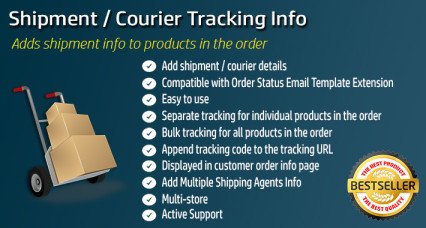
Yes, Orders Manager PRO is designed to work seamlessly with other OpenCart applications like PDF Invoice PRO and Order Shipment Tracking, enhancing its functionality and integration capabilities.
How do the colored rows and labels based on order status improve order management in OpenCart?
The colored rows and labels based on order status in Orders Manager PRO make it easier to visually distinguish between different order statuses quickly, enhancing order management efficiency in your OpenCart store.
What advantage does the Bulk Order Status Update feature of Orders Manager PRO provide to OpenCart store owners?
The Bulk Order Status Update feature of Orders Manager PRO allows OpenCart store owners to save time by updating multiple orders simultaneously, thereby streamlining order management processes.
Can Orders Manager PRO in OpenCart show order items directly from the order list?
Yes, Orders Manager PRO allows you to view order items directly from the order list in your OpenCart store, providing a more detailed and accessible view of each order without navigating away from the list.
Why should I use Orders Manager PRO instead of the default OpenCart order management system?
Orders Manager PRO offers advanced features like AJAX search, bulk updates, and custom visibility options that significantly enhance the default OpenCart order management system, making it more efficient and user-friendly.
How does the customized tabs feature for order status filtering in Orders Manager PRO benefit an OpenCart store?
The customized tabs for order status filtering in Orders Manager PRO provide quick access to orders based on their status, making it easier for OpenCart store owners to manage and prioritize orders effectively.
What makes Orders Manager PRO a necessary extension for efficient order processing in OpenCart?
Orders Manager PRO is essential for efficient order processing in OpenCart due to its powerful search capabilities, bulk updating features, and customizable views, all designed to streamline the order management process.
How can the export and import feature of Orders Manager PRO improve data handling in OpenCart?
The export and import feature of Orders Manager PRO enhances data handling by allowing easy transfer and backup of order information, facilitating smoother operations and external processing for OpenCart store owners.