


OpenCart Product Excel Import Export Extension
- Developer: Priyabrata Ghorai
- Product Code: OpenCart 3xxx
- Availability: In Stock
- Free premium support for 12 months
-
$20.00
Bulk Update OpenCart Products using Excel CSV Templates
HB Product Impex is a structured OpenCart Excel Import Export extension designed to simplify bulk product management while reducing the risk of accidental data corruption.
Instead of one complex spreadsheet containing hundreds of columns, the extension uses task-based Excel templates, allowing store owners to update only the fields they actually need.
The module supports CSV and XLSX formats, includes validation preview before import, and maintains detailed job logs for transparency and control.
Problem Statement
Managing product data in OpenCart manually is time-consuming and error-prone, especially when handling large catalogs.
Most import tools use complex spreadsheets containing many fields that are not always relevant, making updates difficult and risky.
Common challenges include:
- Updating prices or stock in bulk
- Managing multilingual product content
- Updating SEO fields efficiently
- Managing options, attributes, discounts, and filters
- Maintaining structured data without breaking product assignments
- Avoiding accidental overwrites during bulk updates
HB Product Impex solves these issues by separating workflows into clear, focused Excel templates designed for real-world business operations.
Who Is This Extension For?
This OpenCart extension is suitable for:
- Store owners managing large product catalogs
- Businesses frequently updating price and stock data
- Stores managing multilingual product content
- Marketing teams optimizing product SEO fields
- Merchants managing product options and attributes in bulk
- Businesses using Excel as part of their product management workflow
- Agencies managing multiple OpenCart stores
- Developers needing structured import/export control
Key Benefits
- Reduce manual product editing time
- Minimize risk of accidental data overwrite
- Update only the fields needed
- Improve workflow efficiency using structured Excel templates
- Manage multilingual product content safely
- Perform bulk pricing updates quickly
- Maintain product relationships without breaking data structure
- Track import history using job logs
- Preview validation before applying changes
- Use Excel or CSV based workflow familiar to most businesses
Purpose of the Extension
The purpose of this OpenCart Import Export extension is to provide a safe, structured, and practical way to manage product data using Excel.
Instead of forcing store owners to handle complex spreadsheets, the extension provides separate templates for different tasks such as:
- updating price and quantity
- managing product descriptions
- updating SEO metadata
- managing product options
- updating attributes
- controlling discounts and special pricing
- assigning products to stores or filters
This approach ensures better control and reduces the chance of unintended changes.
Complete Feature List
Core Import Export Features
- Task-Based Excel Templates
- CSV and XLSX file format support
- Validation preview before import
- Import job history and row-level logs
- Batch processing for safer imports
- Selective column configuration
- Export existing product data
- Download blank Excel templates
- Configurable import row limits
- Structured import workflow
Supported Import Types
- Basic Product Data Import
- Update price, quantity, model, stock fields
- Assign categories and images
- Update manufacturer and stock status
- Simple special price support
- Product Content Import
- Update product name
- Update description
- Language-specific content updates
- Product SEO Import
- Update meta title
- Update meta description
- Update meta keywords
- Update SEO keyword
- New Product Import
- Create new products using simplified Excel structure
- Uses default values configured in module settings
- Product Options Import
- Bulk manage product option values
- Supports select, radio, checkbox option types
- Update option price adjustments
- Product Attributes Import
- Bulk update product attributes
- Auto-create missing attributes
- Language-specific attribute values
- Product Discounts Import
- Quantity-based discount pricing
- Customer group specific pricing
- Product Special Prices Import
- Customer group specific special pricing
- Start date and end date control
- Priority management
- Product Store Assignment Import
- Assign products to multiple stores
- Product Filter Assignment Import
- Assign filters to products
Operational Features
- Import preview with validation summary
- Row-level import logging
- Error and warning tracking
- Batch-based import processing
- Recommended limits for large Excel files
- Controlled replace logic for relational data
- Safer bulk update structure
- Import job history tracking
Full workflow documentation is included in the user guide.
How to Use
- Go to Export Templates tab
- Download a blank template for the required workflow
- Fill product data using Excel or CSV
- Upload the file in Import tab
- Validate the file before import
- Review preview results
- Run import
- Review job logs for confirmation
For large catalogs, it is recommended to process Excel files in smaller batches.
Use Cases
- Bulk update product prices during sale events
- Update stock quantity after supplier update
- Import multilingual product content
- Optimize product SEO fields in bulk
- Assign categories to many products at once
- Update product options pricing
- Add attribute information to products
- Apply quantity-based discounts
- Manage special pricing for customer groups
- Assign products to multiple stores
- Update product filters in bulk
Expected Results
After installing this OpenCart Import Export extension, store owners can expect:
- faster product updates
- reduced manual workload
- fewer data entry mistakes
- safer bulk editing workflow
- improved productivity
- structured product data management
- easier multilingual product updates
- improved SEO data consistency
- simplified catalog maintenance
The structured approach helps ensure predictable and reliable bulk operations.
Requirements
- Admin access to OpenCart
- PHP ZipArchive enabled for XLSX support
- CSV format supported without additional libraries
- Recommended database backup before large imports
- Recommended file size 500 to 3000 rows per import
| OPENCART | |
| Compatibility | 3.0.5.1, 3.0.5.0, 3.0.4.1, 3.0.4.0, 3.0.3.9, 3.0.3.8, 3.0.3.7, 3.0.3.6, 3.0.3.5, 3.0.3.3, 3.0.3.2, 3.0.3.1, 3.0.3.0, 3.0.2.0, 3.0.1.2, 3.0.1.1, 3.0.1.0, 3.0.0.0 |
You can explore the extension functionality using the live OpenCart admin demo.
Admin Demo Link
https://opencart-demo.huntbee.com/demo/admin/index.php?route=extension/module/hb_impex
The login credentials are already pre-filled on the login page. Simply click the Login button to access the admin panel.
Steps to Explore the Extension
- Login to the OpenCart admin panel using the demo link above.
- Navigate directly to the HB Impex module page.
- Review the available tabs:
- Dashboard
- Export Templates
- Import
- Logs
- Settings
Try Export Template
- Go to Export Templates tab.
- Select an import type such as:
- Basic Data
- Product Content
- SEO
- Options
- Attributes
- Discounts
- Special Prices
- Stores
- Filters
- Choose CSV or XLSX format.
- Download the template.
- You can also export existing product data in the same structure.
Try Import Process
- Download a template from Export Templates.
- Modify sample product values in Excel.
- Go to Import tab.
- Upload the modified file.
- Click Validate to preview the results.
- Review summary of:
- rows to update
- warnings
- validation messages
- Run the import process.
Check Import Logs
- Go to Logs tab.
- View job history.
- Open any job to see row-level results.
- Review warnings or success messages.
- Old logs can be deleted for cleanup.
Notes
- Demo environment may be reset periodically.
- Import limits may be restricted in demo for safety.
- Large file import testing is not recommended in demo.
- Always take backup before running bulk import on a live OpenCart store.
Open demo instruction in new tab
| VERSION : 3.0.1 | DATE RELEASED: 23 May 2026 |
Added:
Changed:
Fixed:
| |
| VERSION : 3.0.0 | DATE RELEASED: 22 Apr 2026 |
| |
Related Products

Product Manager PRO for OpenCart - Advanced Product Editor
Product Manager PRO is the ultimate tool for managing and editing your OpenCart products efficiently. Featuring an editable dashboard, bulk actions, and advanced search and filter options, this extension saves time and boosts productivity. Problem St..
$25.00
Orders Manager PRO
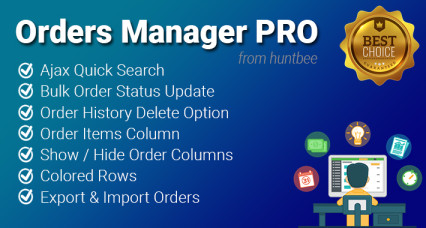
Orders Manager PRO is a powerful OpenCart extension designed to help store owners manage orders seamlessly. With advanced AJAX search, bulk order updates, and customizable order views, this tool saves time and improves workflow. Whether you..
$18.00
Tags: opencart import export, opencart excel import, opencart csv import, opencart bulk product upload, opencart bulk edit, opencart product import, opencart export products, opencart excel product update, opencart bulk update tool, impex, hb impex
