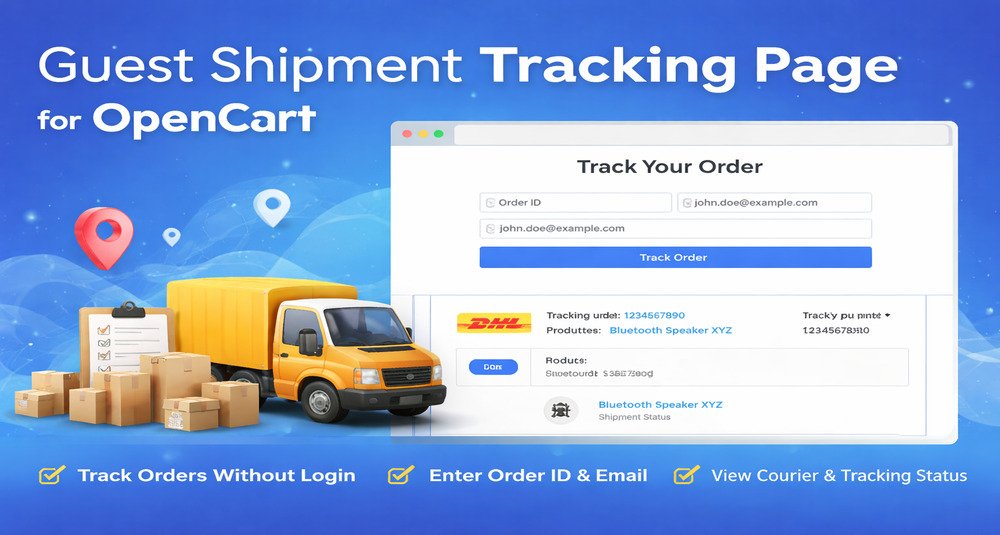
What does the Guest Shipment Tracking Page add-on do?
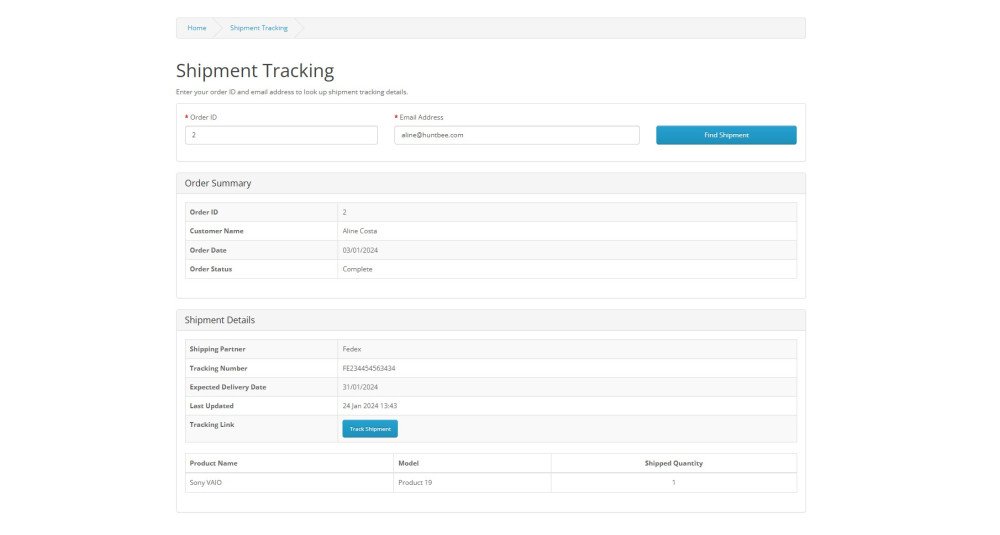
This add-on provides a dedicated frontend page where customers can check shipment tracking details without logging into their account. Customers simply enter their Order ID and Email Address to view courier information and tracking details added by the store owner.
Does this add-on work independently?
No. This is an add-on extension and requires the main Order Shipment Tracking Details extension to function. Shipment data must be created using the main extension for the tracking results to appear on the guest tracking page.
How do customers use the guest tracking page?
Customers can open the tracking page link provided by the store and enter their Order ID along with the email address used while placing the order. The system will then display shipment tracking information associated with that order.
Is login required for customers to check shipment details?
No login is required. This add-on is specifically designed for guest users or customers who prefer not to log into their account. It provides a simple lookup method using Order ID and Email Address.
What shipment details will be displayed on the tracking page?
The page displays shipment information entered by the admin, including courier partner name, tracking number, and shipment details related to the order products. If multiple shipments exist, all relevant shipment entries will be displayed.
Is the tracking page secure?
Yes. Shipment details are only displayed when the correct Order ID and matching Email Address are entered. This ensures that order information is only accessible to the rightful customer.
Can registered customers also use this page?
Yes. Registered customers can also use the tracking page if they prefer not to log into their account. They can retrieve shipment details using their Order ID and Email Address.
Will the tracking page automatically show shipment updates?
Yes. Whenever shipment information is updated in the admin using the main extension, the updated details will automatically be available on the guest tracking page.
Can the tracking page work with multiple shipments per order?
Yes. If an order contains multiple shipment entries, the page will display all shipment records associated with that order.
Will this add-on work with most OpenCart themes?
The add-on is designed to work with standard OpenCart themes. Since some themes use custom layouts, minor adjustments may be required in certain cases to ensure optimal display.
Can the tracking page URL be shared with customers?
Yes. Store owners can share the tracking page link in emails or order communication, allowing customers to quickly access shipment details when needed.
Is this add-on refundable?
This is a non-refundable add-on purchase. Because some themes may require small layout adjustments, the add-on is provided with support to help ensure proper integration when needed.
Will this help reduce delivery-related customer inquiries?
Yes. By allowing customers to check shipment status themselves without logging in, this add-on helps reduce support requests related to delivery tracking and improves overall customer experience.
What is the URL route of the tracking page?
The tracking page is accessible through a dedicated frontend route. Example structure: route=extension/module/order_shipment. The exact URL depends on your store domain and SEO URL configuration. The link can be shared with customers via email or added to footer links or help pages.
How does the add-on fetch shipment data?
The add-on retrieves shipment information from the database tables created by the main Order Shipment Tracking Details extension. It matches the Order ID and Email Address entered by the user with existing shipment records and displays the associated courier and tracking details.
Does this add-on modify core OpenCart files?
No core files are overwritten. The add-on uses OCMOD modifications and standard OpenCart structure to integrate the tracking page into the frontend. This ensures better compatibility and easier maintenance.
Will this work with SEO-friendly URLs?
Yes. The tracking page can work with SEO URLs if your store has SEO URL rewriting enabled. You may optionally create a custom SEO keyword for the tracking page link to make the URL more user-friendly.
Does caching affect shipment updates on the tracking page?
The tracking page retrieves live data from the database. If caching extensions or server-level cache is used, ensure dynamic pages are excluded from aggressive caching to reflect the latest shipment updates.
Can developers customize the layout of the tracking page?
Yes. Developers can modify the twig template file of the add-on to adjust layout, styling, or positioning according to theme design requirements.
Does the add-on store customer data?
No additional customer data is stored by this add-on. It only reads shipment information that is already stored by the main shipment tracking extension.
Will this add-on impact store performance?
No. The add-on performs a simple database lookup based on Order ID and Email Address. The query is lightweight and does not affect store performance.
Can this page be added to header or footer navigation?
Yes. The tracking page link can be added to header menu, footer links, help section, or customer service pages for easier access.
Can the Order ID and Email field be pre-filled?
The browser may remember previously entered values based on session or autofill settings, making it easier for returning customers to check shipment updates again.