





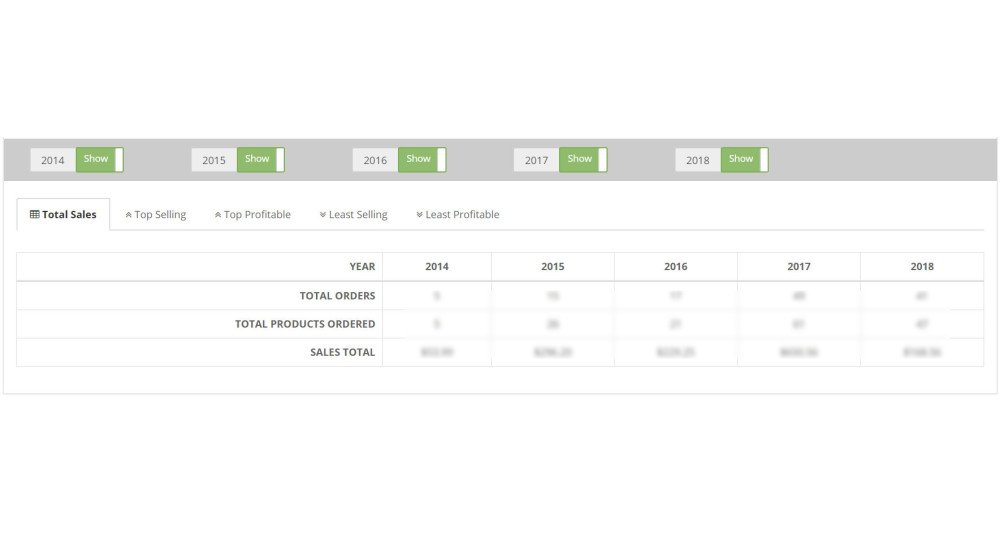
Sales Performance Report for OpenCart
- Developer: Priyabrata Ghorai
- Product Code: 35081
- Availability: In Stock
- Free premium support for 12 months
- OpenCart Link ($50.00)
-
$45.00
Get Detailed Insights on Your OpenCart Sales Performance
Sales Performance Report is an advanced analytics and business intelligence extension for OpenCart that helps store owners understand sales trends, product performance, customer purchasing behavior, and overall business growth using interactive reports, charts, exports, and detailed product analytics.
Unlike basic OpenCart reports, this extension provides modern AJAX-powered dashboards, business insights, trend indicators, coupon analytics, product drilldown reports, customer purchase analysis, scheduled email reports, and professional CSV/XLSX exports.
The extension is designed to help OpenCart store owners make data-driven business decisions with clear and actionable reporting.
Problem Statement
Most OpenCart stores rely on limited default reports that do not provide enough information for proper business analysis. Store owners often struggle to:
- Understand long-term sales growth
- Identify high-performing and weak-performing products
- Compare yearly and monthly sales trends
- Evaluate coupon campaign effectiveness
- Forecast inventory requirements
- Track customer buying behavior
- Export professional business reports
- Analyze revenue trends properly
Without proper analytics, business decisions are often based on assumptions rather than real sales data. This can lead to poor marketing decisions, inventory issues, unnecessary discounts, and missed growth opportunities.
The Sales Performance Report extension solves these problems by giving OpenCart store owners powerful analytics tools and detailed business insights in one centralized dashboard.
Who Is This Extension For?
This extension is ideal for:
- OpenCart store owners
- Multi-store OpenCart businesses
- eCommerce managers
- Marketing teams
- Inventory managers
- Agencies managing OpenCart stores
- Businesses requiring advanced reporting and forecasting
It is especially useful for stores with growing order volume and large product catalogs.
Key Benefits
- Better Business Decisions – Understand your store performance using real sales data and trends.
- Revenue Growth Analysis – Track business growth over different time periods.
- Advanced Product Analytics – Identify high-performing and low-performing products quickly.
- Inventory Planning – Use historical sales trends for stock forecasting and seasonal planning.
- Customer Purchase Insights – Analyze customer buying behavior for specific products.
- Coupon Campaign Analysis – Understand which promotions generate real revenue.
- Professional Report Exports – Export reports in CSV and XLSX Excel format.
- Automated Reporting – Receive scheduled weekly and monthly reports by email.
- Improved Performance for Large Stores – AJAX loading and cache system reduce server load.
- Business Intelligence Dashboard – Get actionable insights without manually analyzing raw sales data.
Purpose of the Extension
The primary purpose of this OpenCart extension is to provide store owners with advanced sales analytics and business intelligence tools that help improve strategic planning, forecasting, marketing decisions, inventory management, and overall business growth.
The extension transforms raw OpenCart sales data into meaningful business insights using modern charts, trend indicators, comparison reports, and detailed product analytics.
Complete Feature List
Dashboard & Analytics
- AJAX-Powered Dashboard for faster loading and improved usability
- Interactive Chart.js Charts with no external CDN dependency
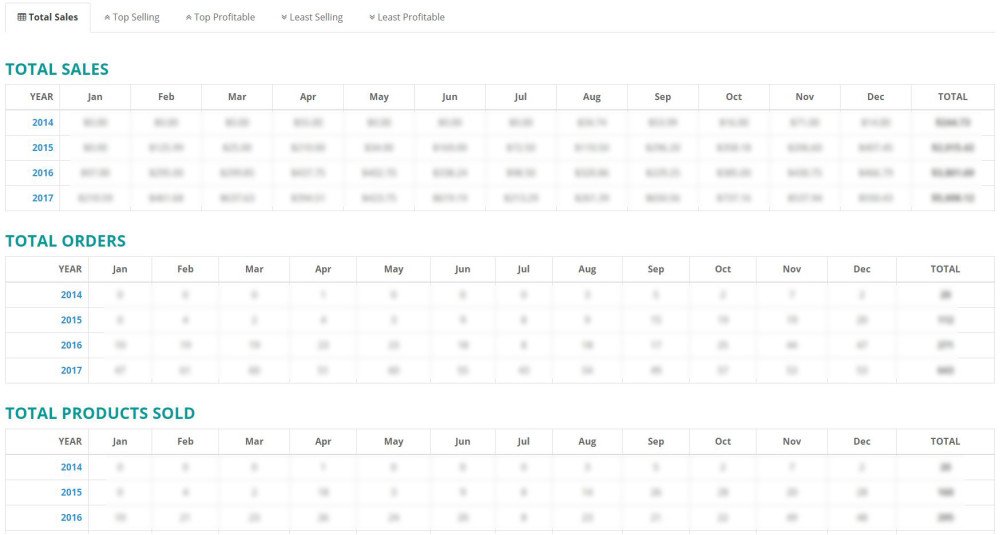
- Overview Dashboard with key business metrics
- Business Insights Section with actionable analytics
- Trend Indicators to identify growing, declining, and stable trends
- Revenue Growth Tracking
- Average Order Value Analysis
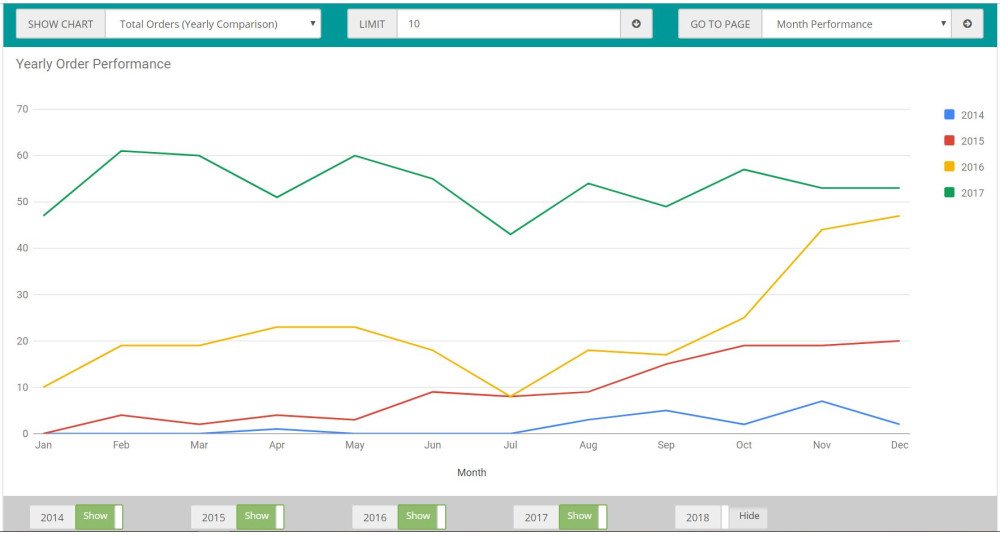
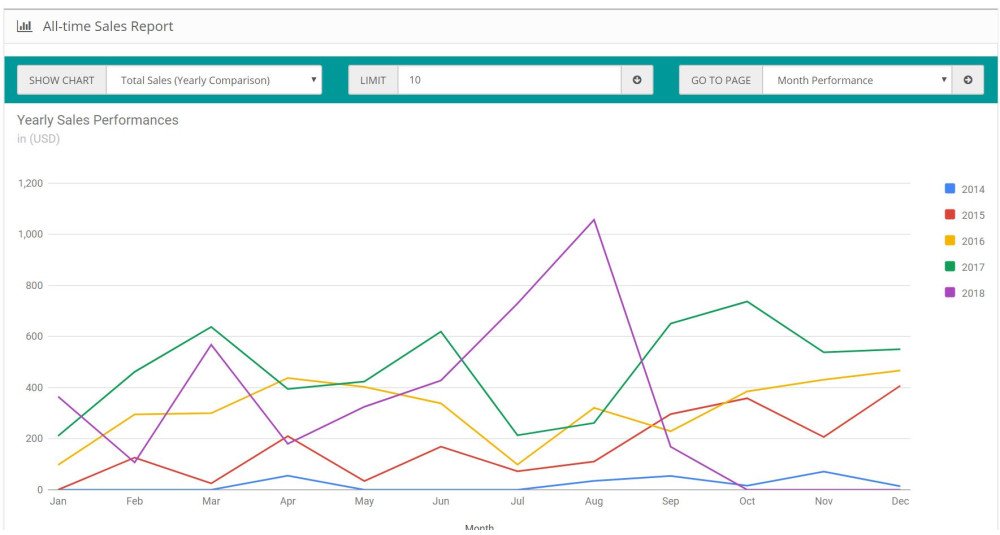
- Yearly and Monthly Sales Comparison
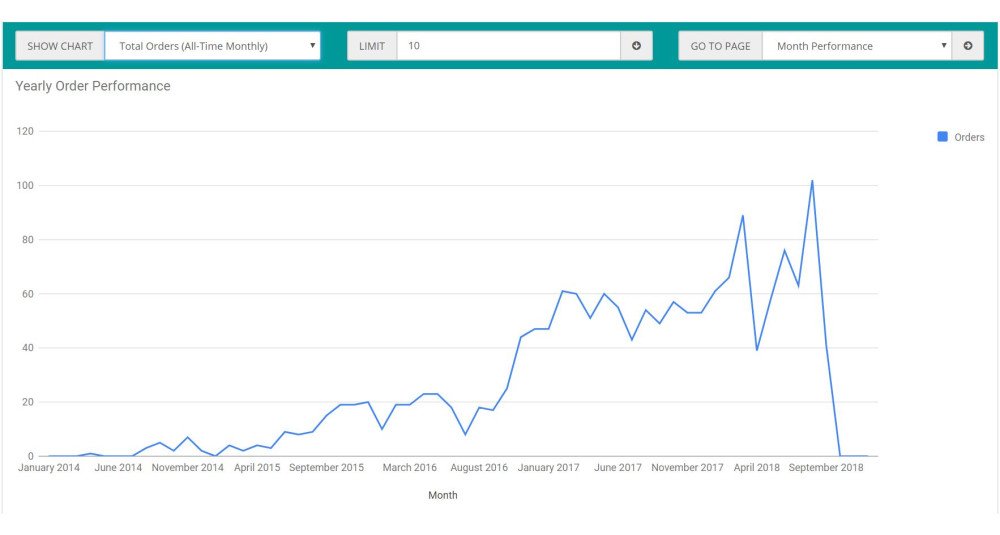
- All-Time Business Analysis
Product Reporting
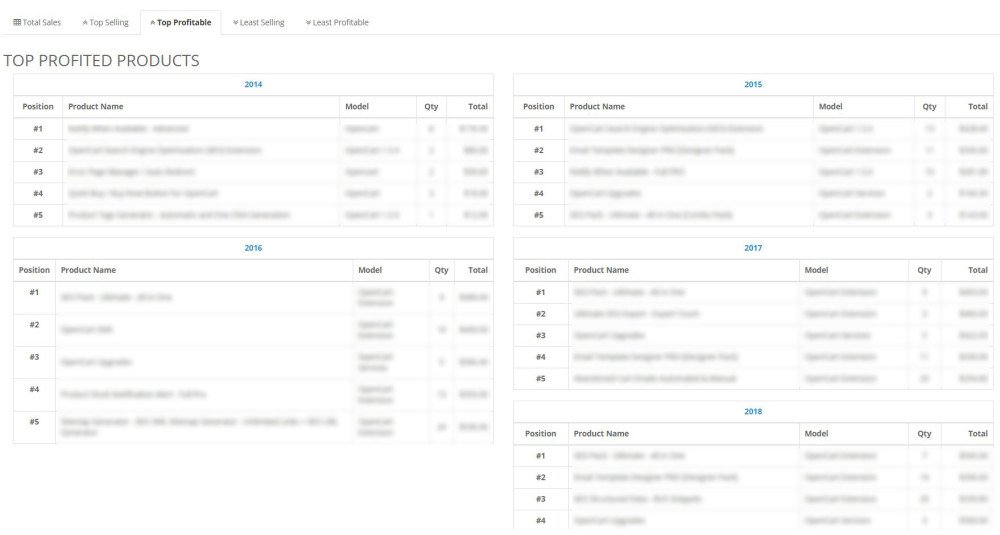
- Top Sold Products Report
- Top Revenue Products Report
- Low Sales Products Report
- Low Revenue Products Report
- Product Analytics Tab with advanced product drilldown
- Product Search by ID, Name, or Model
- Product Trend Comparison
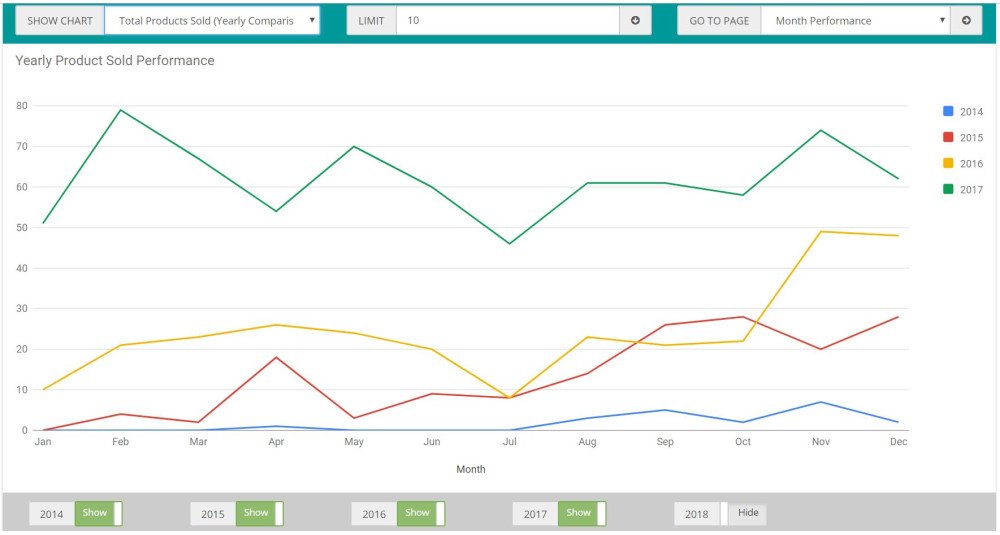
- Yearly Product Performance Comparison
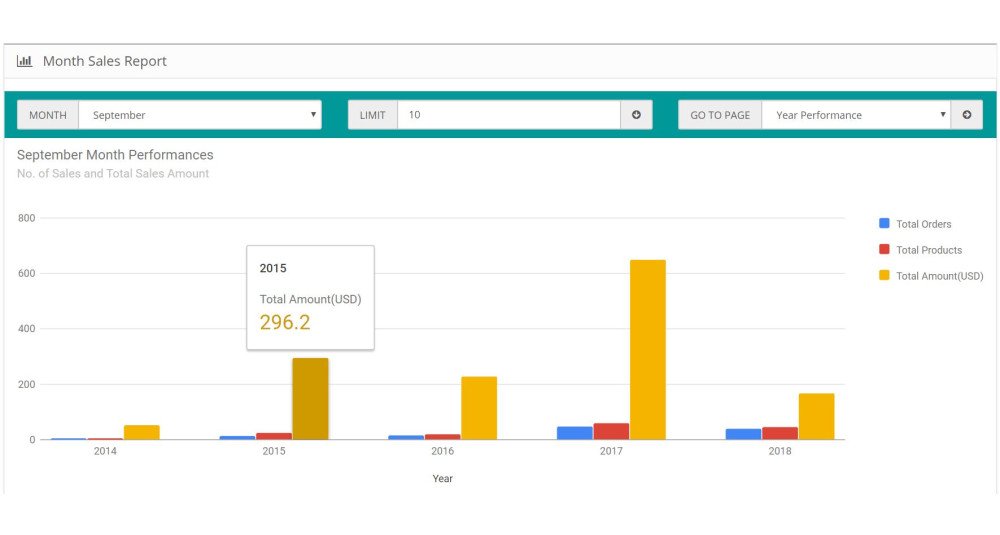
- Month-by-Year Product Comparison
- Customer Purchase Analysis for Products
- Product-Level Revenue Analysis
- Customer Purchase Export for Individual Products
Coupon Analytics
- Coupon Usage Report
- Coupon Revenue Tracking
- Coupon Discount Analysis
- Top Coupon Campaign Identification
- Coupon-Based Order Analysis
Export Features
- CSV Export Support
- XLSX Excel Export Support
- Professional Export Structure
- Filter Summary in Exports
- Export Reports with Date Range, Store, Order Status, and Product Filters
- Export Product Customer Purchase Data
Scheduled Reports
- Weekly Email Reports
- Monthly Email Reports
- Cron-Based Automation
- HTML Email Reports
- Optional CSV/XLSX Attachments
- Secure Cron Token Validation
Performance & Optimization
- Built-in Report Cache System
- Optimized Aggregate SQL Queries
- Pagination Support
- AJAX-Based Report Loading
- Large Store Performance Optimization
- Filter-Based Reporting for Faster Analysis
Business Intelligence Features
- Best Performing Year
- Worst Performing Month
- Fastest Growing Product
- Revenue Growth Trend
- Top Coupon Campaign
- Growth & Decline Trend Indicators
- Previous Period Comparison Analytics
How to Use
Step 1 – Install the Extension
Upload the extension using the OpenCart Extension Installer and refresh modifications.
Step 2 – Open the Report Dashboard
Navigate to:
Extensions → Reports → Sales Performance Report
Step 3 – Configure Filters
Use filters such as:
- Date range
- Store
- Order status
- Month
- Year
- Product search
to generate customized analytics.
Step 4 – Analyze Business Performance
Use the Overview and Business Insights sections to understand:
- revenue growth
- seasonal trends
- weak-performing periods
- fast-growing products
- high-performing campaigns
Step 5 – Use Product Analytics
Search individual products and analyze:
- yearly growth
- seasonal performance
- customer purchase history
- repeat buyers
- total revenue contribution
Step 6 – Export Reports
Export reports in:
- CSV format
- XLSX Excel format
for accounting, business meetings, forecasting, and reporting purposes.
Step 7 – Configure Scheduled Reports
Set up cron jobs to receive automated:
- weekly reports
- monthly reports
directly by email.
Use Cases
- A business owner wants to compare yearly revenue growth to measure long-term business performance.
- A marketing team wants to identify the best-performing products before running ad campaigns.
- A store manager wants to identify slow-moving products and reduce inventory risk.
- An eCommerce business wants to forecast seasonal demand using month-by-year comparisons.
- A retailer wants to analyze customer purchase behavior for a specific product.
- An agency managing multiple OpenCart stores wants professional exportable reports for clients.
- A business owner wants to identify which coupon campaigns generate real revenue growth.
- A growing OpenCart store wants automated weekly and monthly performance reports.
- A store owner wants to identify products with strong growth trends and scale inventory accordingly.
Expected Results
After installing this OpenCart extension, store owners can expect:
- Better understanding of business performance
- Improved revenue forecasting
- More accurate inventory planning
- Better product marketing decisions
- Reduced investment in weak-performing products
- Improved campaign planning
- Better visibility into customer buying behavior
- Faster reporting workflow
- Improved operational decision-making
- More organized business analytics
The extension helps convert raw OpenCart sales data into actionable business intelligence.
Requirements
- PHP 7.4 or above recommended
- MySQL or MariaDB
- Admin access to OpenCart
- Cron access recommended for scheduled reports
- PHP ZIP extension recommended for XLSX exports
| OPENCART | |
| Compatibility | 3.0.5.0, 3.0.4.1, 3.0.4.0, 3.0.3.9, 3.0.3.8, 3.0.3.7, 3.0.3.6, 3.0.3.5, 3.0.3.3, 3.0.3.2, 3.0.3.1, 3.0.3.0, 3.0.2.0, 3.0.1.2, 3.0.1.1, 3.0.1.0, 3.0.0.0, 2.3.0.2, 2.3.0.1, 2.3.0.0, 2.2.0.0, 2.1.0.2, 2.1.0.1 |
| Core Files Overwrite | No Core files overwritten |
| Multi-store | Yes, Support Multi-language website |
| Multi-lingual | Yes, Supports Multi-store |
| TECHNOLOGIES | |
| Framework | OpenCart |
| Languages | PHP, HTML, CSS, AJAX, JQUERY, JAVASCRIPT |
| Existing Libraries Used | Jquery, Bootstrap, fontawesome.io |
| Additional Libraries Added / Used | Google Charts, Bootstrap Toogle |
Admin Demo
Admin URL: https://opencart-demo.huntbee.com/demo/admin/index.php?route=extension/report/hb_sales_report
Access credentials are already prefilled on the login page.
After login, navigate directly to the Sales Performance Report dashboard (Reports > Reports > Sales Performance Report) to explore:
- Overview Dashboard
- Business Insights
- Product Performance Reports
- Product Analytics
- Coupon Usage Reports
- Monthly & Yearly Trends
- CSV/XLSX Export Features
- Scheduled Report Settings
- Cache & Performance Settings
The demo includes sample order and product data to help you understand how the reports work in a real OpenCart store environment.
Open demo instruction in new tab
Sales Performance Report
- About the Extension
- Main Features
- Installation
- Dashboard Overview
- Overview Tab
- Sales Summary
- Product Performance
- Security
- Performance Recommendations
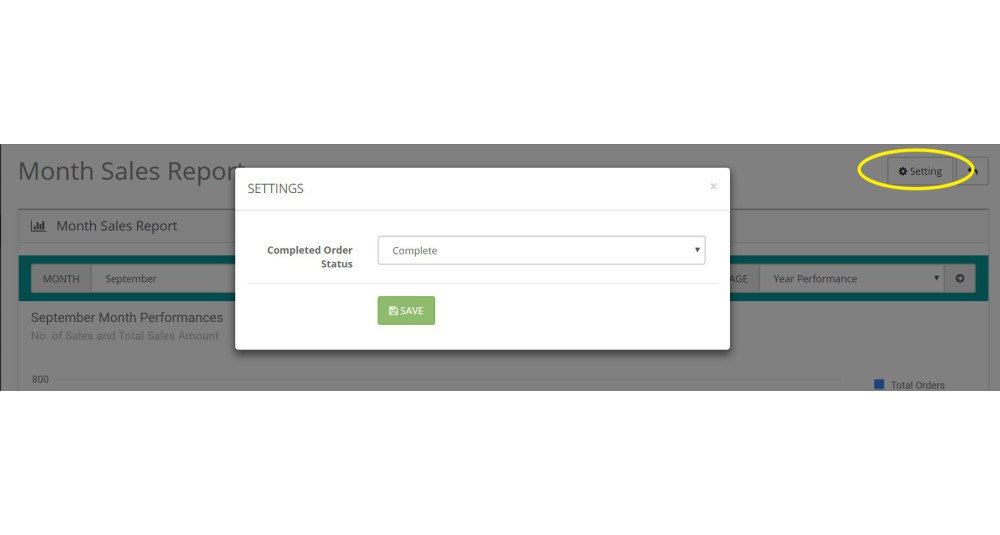
- Settings
- Cache System
- Scheduled Email Reports
- CSV & Excel Export
- Coupon Usage Report
- All-Time Analysis
- Yearly Trends
- Monthly Trends
- Product Analytics
- Features & How to use
- Basic Setup
- Month Sales Performance Report
- Year Sales Performance Report
- All-time Sales Performance Report
- Sales Report - Custom Date Range
- Troubleshooting
- RTL Issues with Google Charts
- Charts Not Loading
- XLSX Export Not Working
- Cron Emails Not Sending
- Slow Reports
- Business Use Cases & Strategy Guide
- Using Reports for Inventory Planning
- Using Trend Indicators for Product Decisions
- Using Product Analytics for Customer Retention
- Using Coupon Reports for Marketing Decisions
- Using Revenue Trends for Business Forecasting
- Using Monthly & Yearly Comparison Reports
- Best Practices for Large Stores
- Understanding Business Insights
| VERSION : 3.3.0 | DATE RELEASED: 23 May 2026 |
Major Improvements
| |
| VERSION : 3.2.0 | DATE RELEASED: 14 Jan 2025 |
| |
| VERSION : 1.0.2 | DATE RELEASED: 04 Feb 2024 |
| |
| VERSION : 1.0.1 | DATE RELEASED: 08 May 2023 |
| |
| VERSION : 1.0 | DATE RELEASED: 16 Sep 2018 |
First Release | |
Related Products
Order Shipment Tracking Details
Order Shipment Tracking Details is an OpenCart extension that helps store owners manage manual shipment tracking information directly from the admin order workflow. Admins can add shipment rows per order product, assign courier partners, save tracking num..
$21.00

Email Template Designer PRO Pack
The Email Template Designer PRO Pack is the ultimate email marketing and automation solution for OpenCart. This pack combines powerful tools to help you design, customize, and automate email communications with customers, imp..
$46.00

Base Plugin
The Base Plugin for OpenCart is an essential tool designed to organize all the latest Productivity Extensions and SEO Extensions developed by HuntBee OpenCart Services. It combines the previous Productivity App Base..
$0.00

SuperCash Sales Booster
SuperCash Sales Booster is an innovative virtual discount and reward system designed to enhance customer engagement, increase repeat purchases, and drive more sales to your OpenCart store. With SuperCash, you can offer customers virtual currency as a rewa..
$19.00
Recently Purchased - Popup Alert
The Recently Purchased - Popup Alert extension for OpenCart helps build trust and increase conversions by displaying purchase notifications to store visitors. These popups create a sense of urgency and social proof, encouraging potential customers to make..
$18.00
Google Analytics (GA4) + Ads Conversion + Meta Pixel
This OpenCart Analytics and Conversion Tracking Extension integrates Google Analytics, Google Ads, and Facebook Pixel into your OpenCart store, enabling enhanced eCommerce reporting and web analytics tracking. From tracking product impressions to monitori..
$20.00

Average Customer Sales Yearly
The Average Customer Sales Yearly extension for OpenCart provides a detailed yearly sales report, tracking unique customers, total orders, total revenue, and average order values. This extension is perfect for store owners seeking to analyze customer beha..
$18.00
Tags: OpenCart sales report, sales analytics, OpenCart business growth, sales tracking, best-selling products, revenue tracking, sales forecasting, sales trends, OpenCart analytics, eCommerce reporting
