Todor Ruskov
27/11/2024
Very fast support and great extension.


Product Stock Notification Alert for OpenCart helps store owners recover lost sales by allowing customers to subscribe for notifications when out-of-stock products become available again.
When a product is unavailable, the default Add to Cart button is replaced with a Notify Me option. Customers can submit their email and receive automatic notifications once the product is restocked.
The extension supports product-level and option-level alerts, ensuring accurate notifications even for configurable products such as size, color, or other variations.
Built-in automation, analytics, and customer self-service tools make this a complete solution for managing demand and improving conversion rates in your OpenCart store.
Customers often leave an OpenCart store when they see a product is out of stock. Without a notification system, these potential buyers may never return, resulting in lost sales and missed revenue opportunities.
Store owners also lack visibility into which products customers are actively waiting for, making it difficult to plan inventory effectively.
This extension solves the problem by allowing customers to subscribe for stock alerts and automatically notifying them when the product becomes available again, bringing interested buyers back to complete their purchase.
This OpenCart extension is ideal for:
The purpose of this OpenCart extension is to help store owners capture customer interest even when products are unavailable.
Instead of losing potential buyers, customers can subscribe for stock alerts and receive notifications when products are restocked.
The extension also provides valuable insights into customer demand, helping store owners make informed inventory decisions and improve product availability strategy.
By automating communication and providing demand analytics, this extension helps increase sales and improve customer satisfaction.
Install and configure the extension from your OpenCart admin panel.
Choose how you want stock alerts to work:
Customers will see the Notify Me button when the product becomes unavailable.
Customers subscribe by entering their email address.
When the product is restocked, customers receive an email notification automatically.
Admin can also send notifications manually or review demand insights from the dashboard.
Cron job can be configured to fully automate the process.
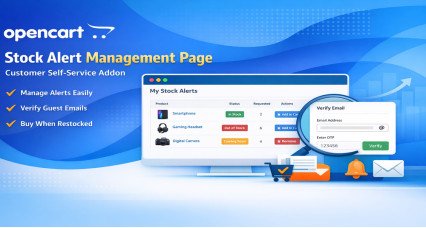
Customers can manage their alerts using the premium self-service page.
Open the product page:
Women Purple Heat Gear High-Rise Tights
https://opencart-demo.huntbee.com/demo/women-purple-heat-gear-high-rise-tights-17254908
This product is currently out of stock.
Instead of the default Add to Cart button, the extension displays a Notify Me button. This allows customers to subscribe to be notified when the product becomes available again.
Click the Notify Me button.
A subscription form will appear where the customer can enter the required quantity and email address to register for the stock alert.
Once submitted, the alert is saved and the customer will be notified automatically when the product quantity is updated.
Open the product page:
One Shoulder Satin Slip Dress
https://opencart-demo.huntbee.com/demo/one-shoulder-satin-slip-dress-agg42245
This product contains multiple options with different stock availability.
This helps store owners track demand even at the option level.
Open the category page:
https://opencart-demo.huntbee.com/demo/fashion
Locate the product:
ZIMMERMANN Wrapped Ruffle-Trim Dress
This product is out of stock, so the Notify Me button is displayed directly in the product listing.
Click the Notify Me button to open the subscription form.
Customers can subscribe without visiting the product page, making the process faster and more convenient.
The same behavior can also be observed in:
Admin Dashboard:
https://opencart-demo.huntbee.com/demo/admin/index.php?route=extension/module/hb_oosn&store_id=0
Login credentials are already prefilled in the demo.
After logging in, navigate to the Stock Alert extension to view:
Displays all customer subscription records, including product name, quantity requested, email address, and subscription date.
This helps you understand which products customers are waiting for.
Shows graphical insights that help you analyze demand trends and identify high-interest products.
Allows you to create and manage multiple email templates for sending stock notifications.
You can customize email content according to your store branding.
Configure how the notify form appears on the storefront.
You can choose between:
Popup form
Embedded form directly on product page
Control where the Notify button appears.
You can configure rules based on:
Product quantity
Stock status
Or manually choose specific products where the notify button should appear.
Displays products currently out of stock.
You can manually select products where the Notify button should be enabled.
This gives full control over how the feature is applied across your store.
This demo shows how the extension helps capture customer demand, track interest in out-of-stock products, and bring customers back to your store once items are available.
| OPENCART | |
| Compatibility | 4.1.0.4, 4.1.0.3, 4.1.0.2, 4.1.0.1, 4.1.0.0, 4.0.2.3, 4.0.2.2, 4.0.2.1, 4.0.1.1, 4.0.1.0, 4.0.0.0, 3.0.5.1, 3.0.5.0, 3.0.4.1, 3.0.4.0, 3.0.3.9, 3.0.3.8, 3.0.3.7, 3.0.3.6, 3.0.3.5, 3.0.3.3, 3.0.3.2, 3.0.3.1, 3.0.3.0, 3.0.2.0, 3.0.1.2, 3.0.1.1, 3.0.1.0, 3.0.0.0, 2.3.0.2, 2.3.0.1, 2.3.0.0, 2.2.0.0, 2.1.0.2, 2.1.0.1, 2.0.3.1, 2.0.2.0, 2.0.1.1, 2.0.1.0, 2.0.0.0 |
| Requirement | OCMOD for opencart 2.x.x.x and 3.x.x.x, VQMOD for OpenCart 4.x.x.x |
| Core Files Overwrite | No Core files overwritten |
| Multi-store | Yes |
| Multi-lingual | Yes |
| SUPPORT | |
| Template Support | Free support is applicable only for one template. |
| TECHNOLOGIES | |
| Framework | OpenCart |
| VERSION : 3.11.0 | DATE RELEASED: 22 Apr 2026 |
| |
| VERSION : 10.0.7 | DATE RELEASED: 04 Feb 2024 |
| |
| VERSION : 10.0.6 | DATE RELEASED: 20 Jan 2024 |
| |
| VERSION : 10.0.5 | DATE RELEASED: 26 Apr 2023 |
| |
| VERSION : 10.0.4 | DATE RELEASED: 15 Mar 2022 |
| |
| VERSION : 10.0.2 | DATE RELEASED: 03 Jan 2022 |
| |
| VERSION : 10.0.1 | DATE RELEASED: 08 Dec 2021 |
| |
| VERSION : 10.0.0 | DATE RELEASED: 03 Nov 2021 |
Extension redesigned & more features added
| |
| VERSION : 9.0.5 | DATE RELEASED: 13 Aug 2019 |
| |
| VERSION : 9.0.4 | DATE RELEASED: 04 Jun 2019 |
| |
| VERSION : 9.0.2 | DATE RELEASED: 25 Mar 2019 |
| |
| VERSION : 9.0.0 | DATE RELEASED: 12 Jan 2019 |
| |
| VERSION : 8.0 | DATE RELEASED: 15 Jun 2017 |
This update is only for OpenCart Versions 2.0.x.x, 2.1.x.x, 2.2.0.0, 2.3.x.x
| |
| VERSION : 7.8.1 | DATE RELEASED: 03 Feb 2017 |
Update extension from 7.8 to 7.8.1 Only overwrite the admin and catalog folder files. Do not replace XML files. | |
| VERSION : 7.7 | DATE RELEASED: 17 Aug 2016 |
| |
| VERSION : 7.6 | DATE RELEASED: 05 Jan 2016 |
| |
| VERSION : 7.5 | DATE RELEASED: 26 Dec 2015 |
| |
| VERSION : 7.0 | DATE RELEASED: 24 Oct 2015 |
| |